The AI Proposal Platform Built for Federal and State Contractors
Streamline RFP management, proposal writing, and compliance tracking in one secure platform. Orchestrate your team with granular access controls and real-time notifications.
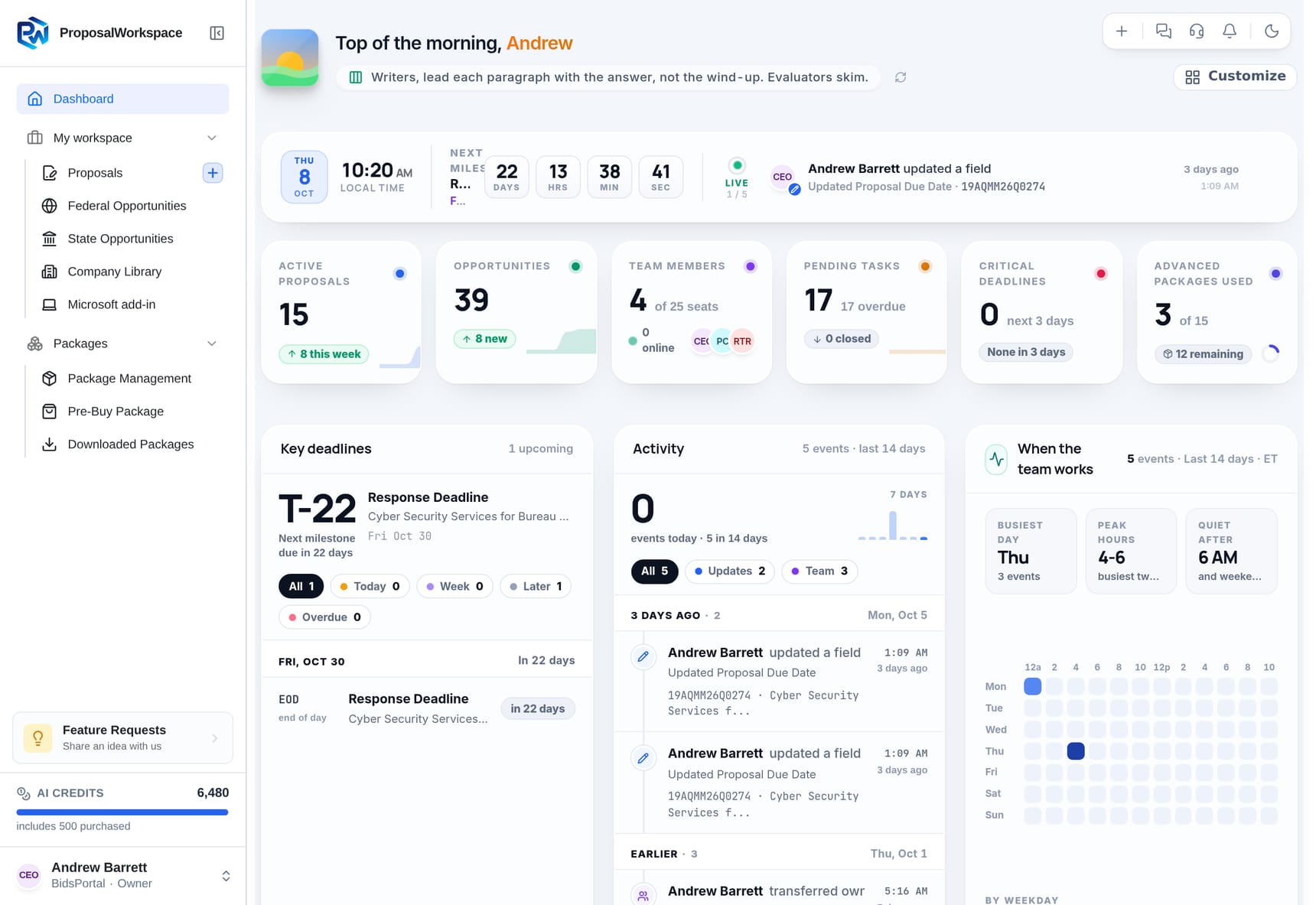
Give every pursuit its own workspace
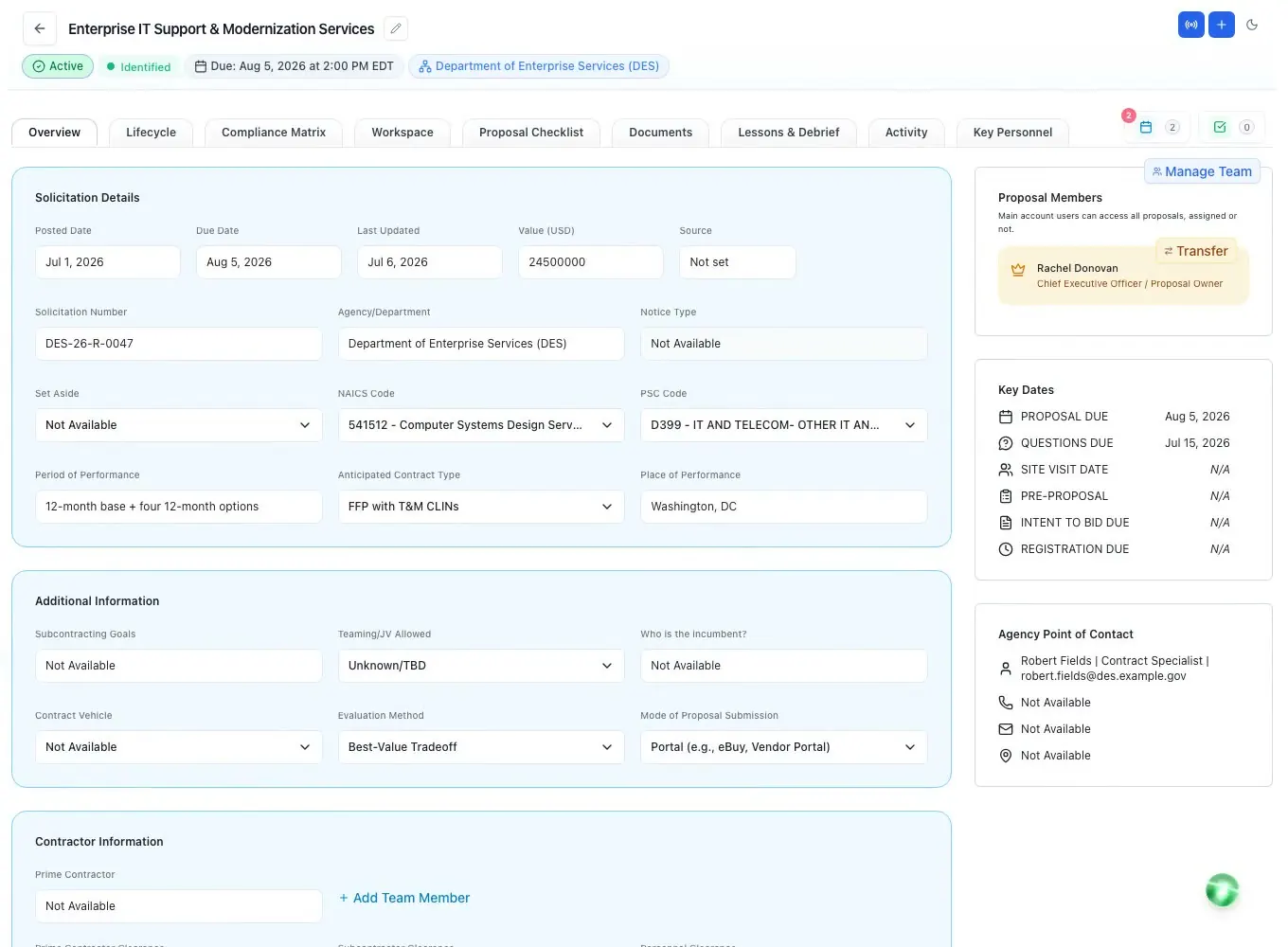
Run the whole bid in one place.
Discovery, RFP analysis, compliance, key personnel, authoring, chat and voice - tied to the pursuit, not scattered across a chat app and five tools.
- 84hours
- what contractors report going into one proposal, on average
- 83%
- of contractors missed opportunities in 2025 because they found out too late
- 40%
- win rate on new bids, against 60% on recompetes
Deltek Clarity Government Contracting Industry Study, 2026 edition, 917 contractors surveyed.
Your whole workspace, one question away
in the AI your team already uses.
MCP is the open standard that lets an AI assistant work inside other software. ProposalWorkspace supports it, so the assistant your team already uses - Claude, ChatGPT, Gemini, Microsoft 365 Copilot or Perplexity - can search opportunities, read the compliance matrix, draft into the outline and create tasks in your workspace.
- 1Paste the link into your assistantClaude: Settings, Connectors. ChatGPT: Apps and Connectors. Perplexity: Account, Connectors. For Gemini and Microsoft 365 Copilot your workspace admin adds it once for everyone. Nothing to install.
- 2Sign in on ProposalWorkspaceOnce, with Google or your email and password. Your assistant receives a temporary key that expires on its own. It never sees your password and there are no API keys to manage.
- 3Ask"Which requirements in Volume I are still unowned?" "Add the Q&A deadline as a task for Priya." The assistant can only do what your role allows, and it can never touch billing.
Works with any AI that supports MCP
- 42
- federal proposal roles, one for every member
- 60+
- Ask AI presets written for federal proposal craft
- 29
- structured win and loss reasons
- 90+
- things your AI assistant can do in the workspace
- 9
- working views of one proposal, from overview to debrief, in one workspace
Counted from the product, not projected.
Every key position the RFP names, staffed with evidence.
It reads the RFP for every person it requires, finds who on your team fits, brings in recruiters for the gaps and checks every resume and commitment letter before you submit - all inside the proposal.
How it works
STEP 1
Read the RFP
Finds every position the RFP requires, with the clearance, years of experience and certifications each one needs. Anything unclear is flagged, never guessed.
You get: One list of every position to fill
STEP 2
Match your team
Scores the people on your bench against each position from their current resume, and shows the evidence behind every score.
You get: The best fit for each role, with reasons
STEP 3
Fill the gaps
Creates the job description, the resume format and, when the RFP asks for one, the Letter of Commitment, and sends open positions to a recruiter through a secure link.
You get: Recruiters working to your requirements
STEP 4
Check every resume
Compares each resume with the requirements line by line and marks what is met, partial or missing, quoting the resume itself.
You get: Gaps found before you submit
STEP 5
Approve and commit
Checks each Letter of Commitment against the RFP’s format and records who approved what, and when.
You get: An approved record for every person
Why teams use it
- Nothing inventedGaps are marked, never filled in.
- Master resumes untouchedA tailored version for each RFP.
- Recruiters need no accountA secure link to their positions only.
- Every approval on the recordWho approved it, and when.
Your team, live in the workspace.
Calls, transcripts, chat, tasks and access are part of the proposal - not a separate stack of tools.
- Live Deck calls with an AI ScribeStart a voice call without leaving the workspace. The Scribe turns it into a transcript with the decisions, action items and deadlines, and the action items can become tasks on a proposal.
- Team chat with presenceChannels, direct messages, voice notes and reactions, with who is online. Mention the AI teammate in a channel and it reads the recent messages and replies there.
- Tasks and deadlines that chase themselvesOne owner, one due date, one priority. Reminder emails go out three days and one day before due.
- See who is on the proposalLive presence shows who is viewing the proposal and which tab they are on.
- An activity timeline you can defendEvery edit, upload, status change and share, with who did it and when.
Your proposal stays yours,
at every step.
A proposal is the most sensitive document a contractor writes: your pricing, your staffing, your win themes. Here is what happens to it from the moment you upload the solicitation to the day you close the pursuit - in plain words, with nothing we cannot back.
Drawn in code, like the other scenes on the page. The names are illustrative; the shape is exactly what runs: one walled workspace per company, a prompt-and-output round trip to the AI you connected over MCP (or the built-in one), an expiry on temporary people, and a log nobody can edit.
Stored encrypted, opened through links that expire
Every file is encrypted on the way in and at rest, and is served through a time-limited link. A URL copied out of the app stops working; the document does not travel.
Privacy Policy s.6 - TLS in transit, AES-256 at restBring the AI your company already trusts. Its terms follow your data.
Connect Claude, ChatGPT or any MCP-capable AI your company already holds an agreement with, and it reads your workspace under that agreement. If your enterprise plan says your data is never used to train the model, that promise now covers your proposal work too. The connector serves the AI you connected and no other. Prefer the built-in AI? It works inside your workspace, uses only the context a task needs, and nobody has to paste an RFP into a public chat window. Either way, every requirement, date and evaluation factor found carries the page it came from, so you verify it instead of trusting it.
MCP connector, user-scoped; Privacy Policy s.4 - transient processing, output stored as your contentOne walled workspace per company. Access that ends on a date.
Your proposals, documents and library are isolated from every other company's account, on every table. Consultants and teammates cannot see which other pursuits or companies you touch - a teaming and OCI safeguard. A temporary reviewer's access stops the day it expires; nobody has to remember to revoke it. Everyone signs in with Google (single sign-on) or with email and a password - on the website, in the app and in your AI assistant's connector.
Row-level isolation, confidentiality invariant, enforced expiry, Sign in with GoogleLogged while it lives. Deleted when you say so.
Every privileged action is recorded with who, what, when and from where, and the record cannot be edited after the fact. Close your account and your content is permanently deleted after a 30-day grace period.
Immutable audit log, Privacy Policy s.7 - retention and deletionWhat we do not claim
- No FedRAMP authorization - if a prime or a CUI-heavy program requires it from the platform, we are not a fit yet.
- No SOC 2 report - we will publish the fact when it exists, not before.
- No enterprise SAML sign-on - Sign in with Google works for every account; Okta and Microsoft Entra sign-in do not, yet.
- No "military-grade" anything - the four steps above are the whole story.
Straight answers
Do I need a sales call?
No. The platform is self-serve: a 7-day trial with every feature on one proposal, no credit card, and every price published on the pricing page. Talk to us if you want to, not because you have to.
Which AI powers it?
The built-in AI is part of the product - no model choices, no API keys. Every extraction is page-cited, every draft cites records you own, every edit lands as a tracked change you approve. Separately, connect your own Claude, ChatGPT, Gemini, Copilot or Perplexity.
Do the AI connectors cost extra?
No. They are on every plan and the only gate is your login. Your assistant may have its own requirements: ChatGPT and Perplexity enable connectors on paid plans, and Gemini or Microsoft 365 Copilot are connected once by your workspace admin.
What can I export?
A true .docx with Word numbering, headers and page fields; PDF; Excel for the compliance matrix and checklist; and flattened PDFs that keep your highlights and notes.
Does it support color-team reviews?
Pink, Red, Gold and White Team milestones live on the proposal calendar with reminders. In the editor, the AI can score a drafted section against its requirement in the compliance matrix the way an evaluator would, and address a Red Team comment on the spot.
Do you support state and local bids?
Yes. State solicitations use their own notice types - RFP, RFQ, ITN, IFB - and their own scorer, and a state pursuit runs through the same workspace as a federal one. Our state and local opportunity coverage is limited today, so you can also start a proposal by uploading a solicitation you found yourself.
How is my data isolated?
Each workspace is isolated at the data layer, consultants and teammates never learn which other companies you work with, documents are stored encrypted, and every privileged action is logged with who, when and from where.
What do you not have?
No FedRAMP authorization and no SOC 2 report, so CUI-heavy work or a prime that requires either is not a fit yet. No enterprise single sign-on through SAML (Okta, Microsoft Entra) yet - your team signs in with Google or with email and a password. No cost-volume module. The security section says the same.
ProposalWorkspaceReady when the next RFP drops.
Set up in minutes
Free trial, no credit card. Claude connector included.