Proposal editor for federal and state volumes
From outline to finished volume
A Word-like editor built for federal volumes. Generate a compliant outline, draft with AI, co-author with tracked changes and margin comments, then export a clean .docx or PDF - numbering and formatting intact.
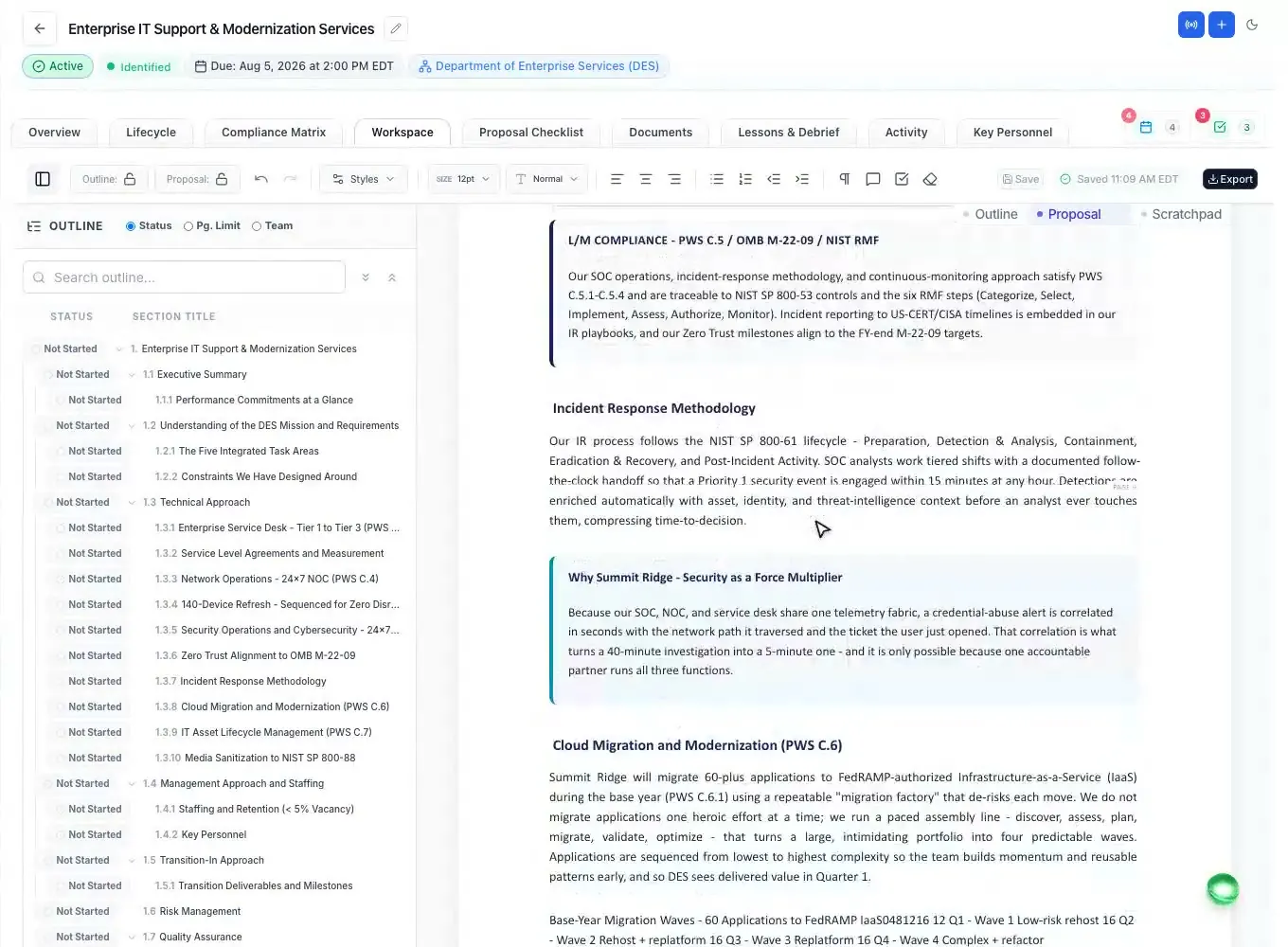
Outline
Outline, already annotated
ProposalWorkspace generates a full Section L, M, and SOW outline from the solicitation, then writes guidance into every section - what to cover, which requirements it satisfies, and how evaluators will score it.
- Full Section L, M, and SOW structure generated from the solicitation
- Per-section notes: what to write, compliance requirements, evaluation strategy
- Placeholders for resumes, letters, and reps-and-certs
- Heading tree stays in sync as sections get drafted
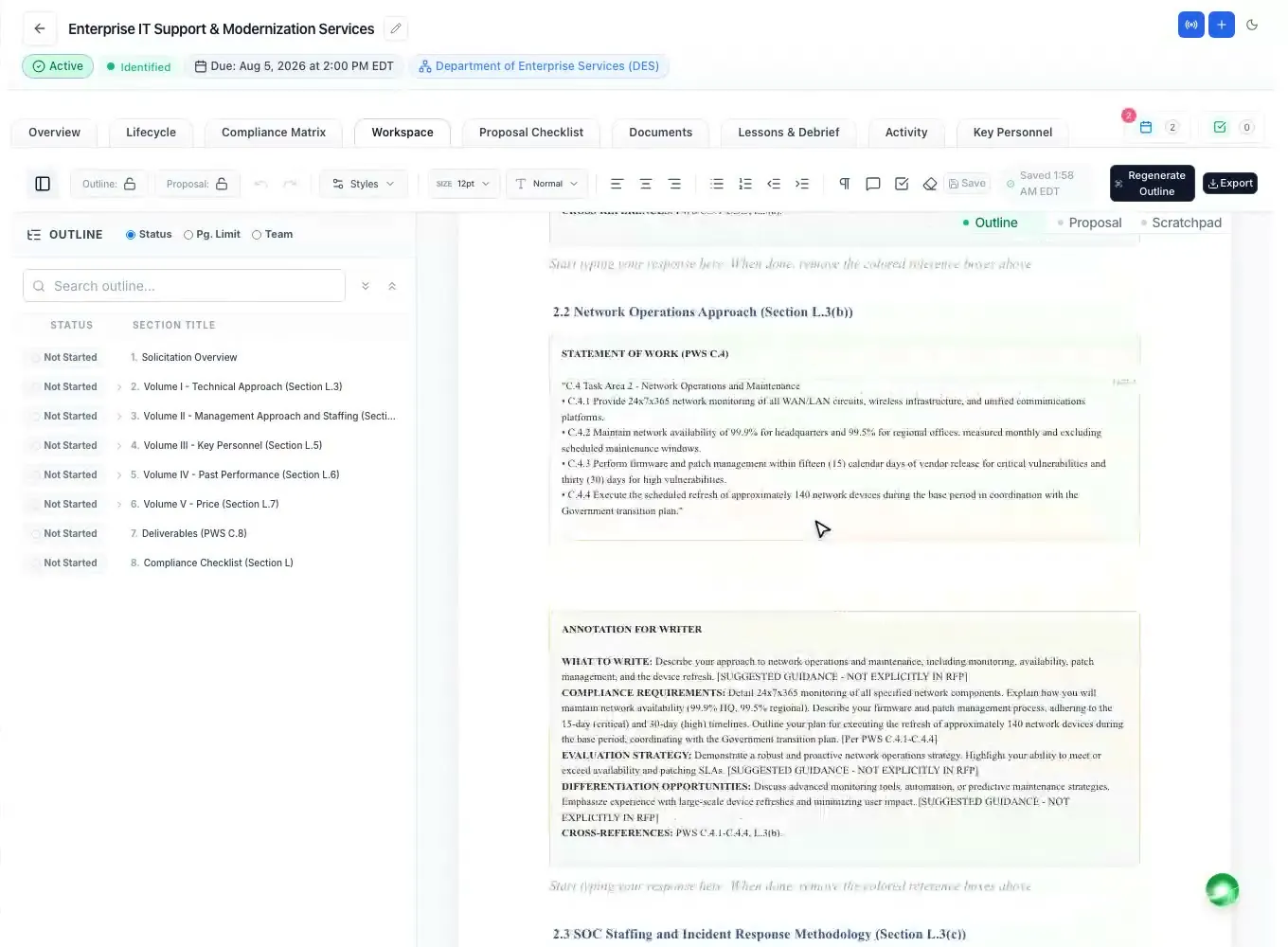
Editor
Draft in a Word-like editor
Letter-size pages, headings with automatic federal numbering, tables, images, and page breaks - the formatting evaluators expect. Teammates co-author in the same document with live presence, margin comments, and track changes.
- Letter-size multi-page canvas with editable headers and footers
- Automatic federal heading numbering (1., 1.1, 2.1.1) across pages
- Co-authoring with live presence and Word-style margin comments
- Track changes attributed to you, AI, or an amendment - accept or reject each
- Autosave with realtime merge that never drops a newer version
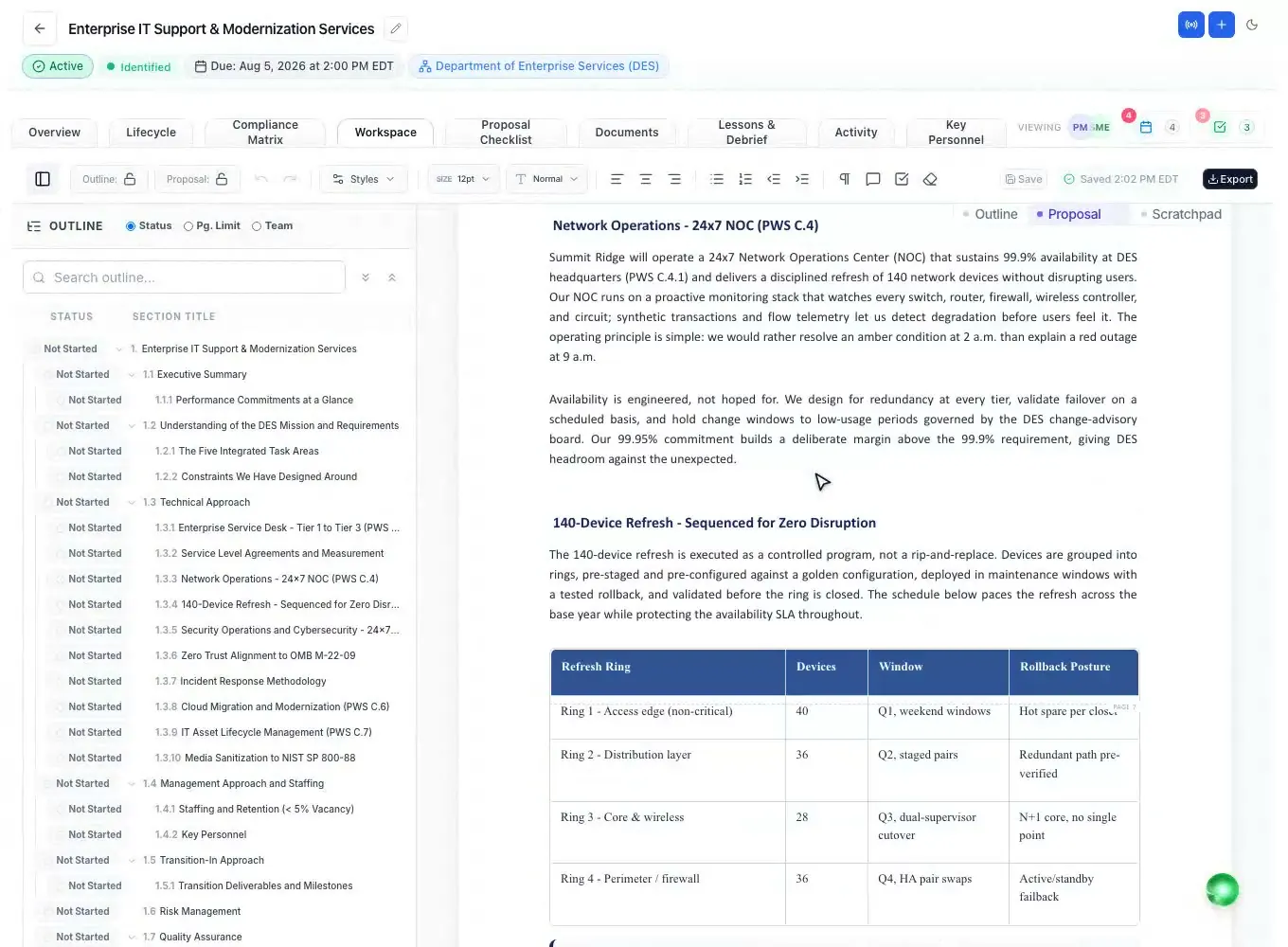
Ask AI
Ask AI on any selection
Select text and polish it, draft from your notes, turn it into one of 32 proposal tables or 36 graphics, or set it in a callout - Section L/M compliance checks, Shipley rewrites, executive summaries, risk registers and transition timelines. AI-written text, tables and graphics land as tracked changes you accept or reject.
- 45 writing presets, 32 proposal tables and 36 graphics with figure captions
- Verify Section L/M compliance, active voice, plain-language grade 10
- Quick rewrites: authoritative, compliant, persuasive, or concise
- Callouts keep your words exactly as written, with a one-click Undo
Rich documents
Rich, federal-ready pages
Beyond plain text: header-shaded tables with per-cell colors, colored callout and win-theme boxes that float like real Word tables, embedded images, and AI-generated diagrams - each one surviving the export intact.
- Tables with header shading and per-cell colors
- Colored callout, win-theme, and risk boxes - float or full-width
- AI-generated diagrams rendered right into the document
- Per-role document styles: fonts and colors for headings, body, and tables
Exports
Exports that hold up
Produce a real .docx built with the docx library, not MSO-HTML, with federal numbering, running headers, and Word page fields. Export PDF, Excel for matrices and checklists, landscape worksheets, and flattened annotated PDFs.
- True .docx export via the docx library, not MSO-HTML
- PDF export with continuous numbering and Page X of Y
- Excel export for compliance matrices and checklists
- Flattened annotated PDFs and landscape worksheets
Questions people ask
Questions about the proposal editor
Does the proposal editor work like Microsoft Word?
Yes. It has letter-size pages, editable headers and footers, headings with automatic federal numbering (1., 1.1, 2.1.1), tables, images, page breaks, Word-style margin comments and track changes. Exports are real .docx files, so the volume opens in Word with its numbering and formatting intact.
Can several people edit the same volume at once?
Yes. Teammates co-author in the same document with live presence and margin comments. Autosave merges changes in real time and never drops a newer version, and with track changes on, every edit is attributed to the person, the AI or an amendment.
Where does the outline come from?
From the solicitation. ProposalWorkspace generates a Section L, M and SOW outline with notes under every heading on what to write, which requirements it answers and how evaluators will score it, plus placeholders for resumes, letters and reps and certs.
What can the AI do inside the editor?
Select any text to polish it, draft from your notes, turn it into one of 32 proposal tables or a graphic with a numbered figure caption, or set it in a callout. AI-written text, tables and graphics can land as tracked changes you accept or reject.
Which export formats are supported?
Word (.docx), Word with a table of contents, and PDF for each volume; several volumes arrive as one .zip file. Compliance matrices and checklists export to Excel, and annotated PDFs can be flattened with the markup burned in.
Related capabilities
 ProposalWorkspace
Ready when the next RFP drops.
Set up in minutes
Free trial, no credit card. Claude connector included.