AI compliance matrix software for Section L, M and C
Compliance you can defend
Every instruction, evaluation factor, and SOW requirement decomposed into a traceable matrix - owned, tracked, and graded against the exact words the evaluator will score.
Decomposition
Section L, M, and C
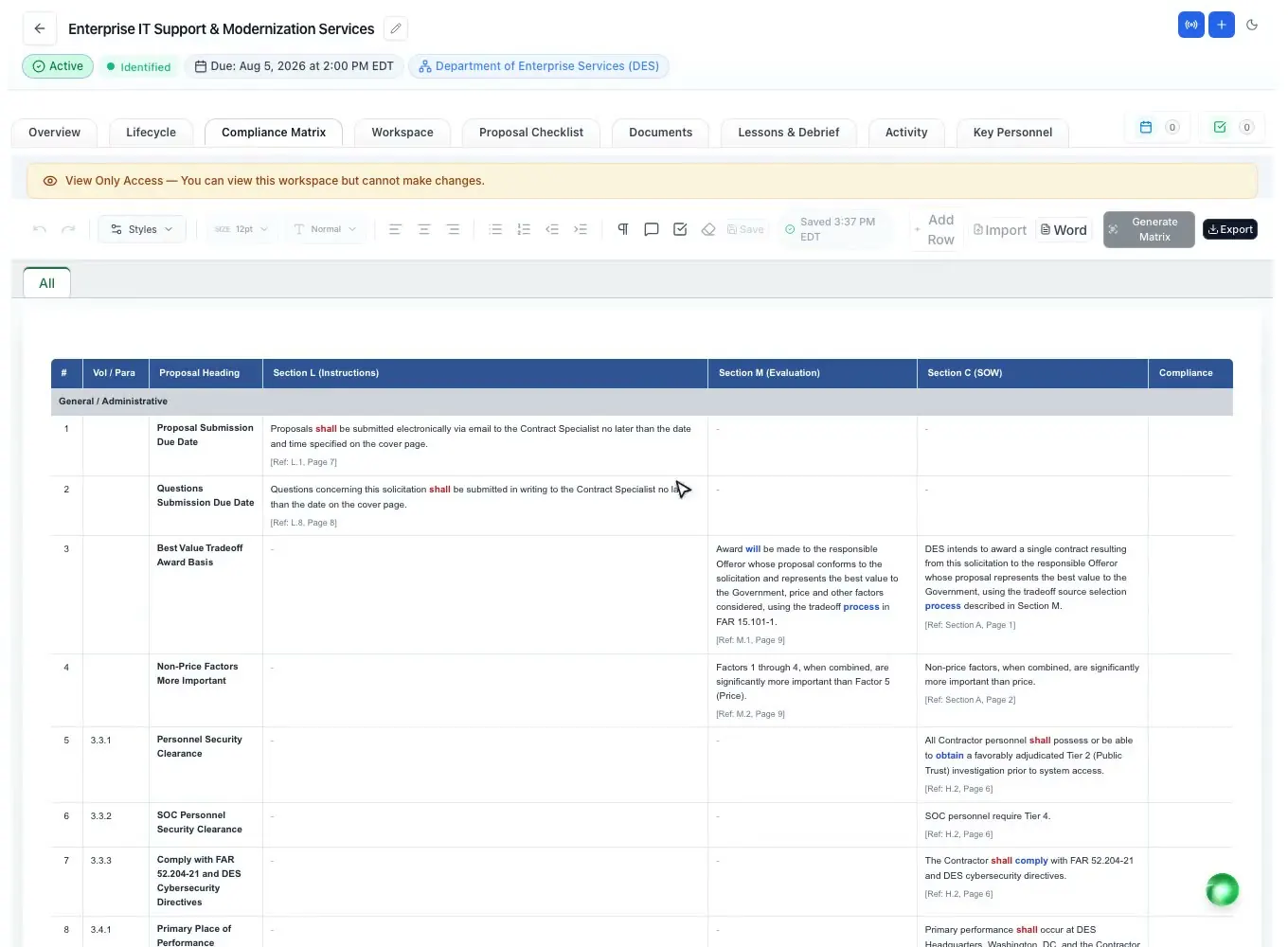
The matrix decomposes Section L instructions, Section M evaluation factors, and the C/PWS statement of work into individual rows. A demo RFP breaks into 111 requirements, each traceable back to its source section and page.
- Section L instructions, M evaluation factors, and C/PWS scope in one matrix
- Atomic decomposition down to a six-level requirement hierarchy
- Every row carries its source section and page reference
- Requirement language highlighted across seven groups - shall, must, should, may, will
- Extraction reasoning recorded per row
Ownership
Owned and tracked
Assign an owner to every requirement and make the compliance call with a click. A full-width summary banner rolls up totals live and turns red the moment any row is marked non-compliant.
- Owner assigned per requirement row
- Compliance cells: Compliant, Partial, Non-Compliant, Exception
- Live summary banner: how many rows are assessed, and how many sit in each compliance state
- Check vs proposal: finds where each requirement is answered, or flags it as not addressed
- Volume groups shown as sheet tabs; add rows with auto-renumber
One click or import
Generated or imported
Generate the full matrix from the RFP in one click, or import an existing workbook in the standard column layout. Export the live matrix to Word or Excel whenever you need to share it or submit it.
- Generate the full L/M/C matrix from the RFP in one click
- Import an existing Excel workbook in the standard column layout
- Word export of the live matrix
- Multi-sheet Excel export
- Amendment changes correlate in as tracked redlines
Submission checklist
Nothing missed at submit
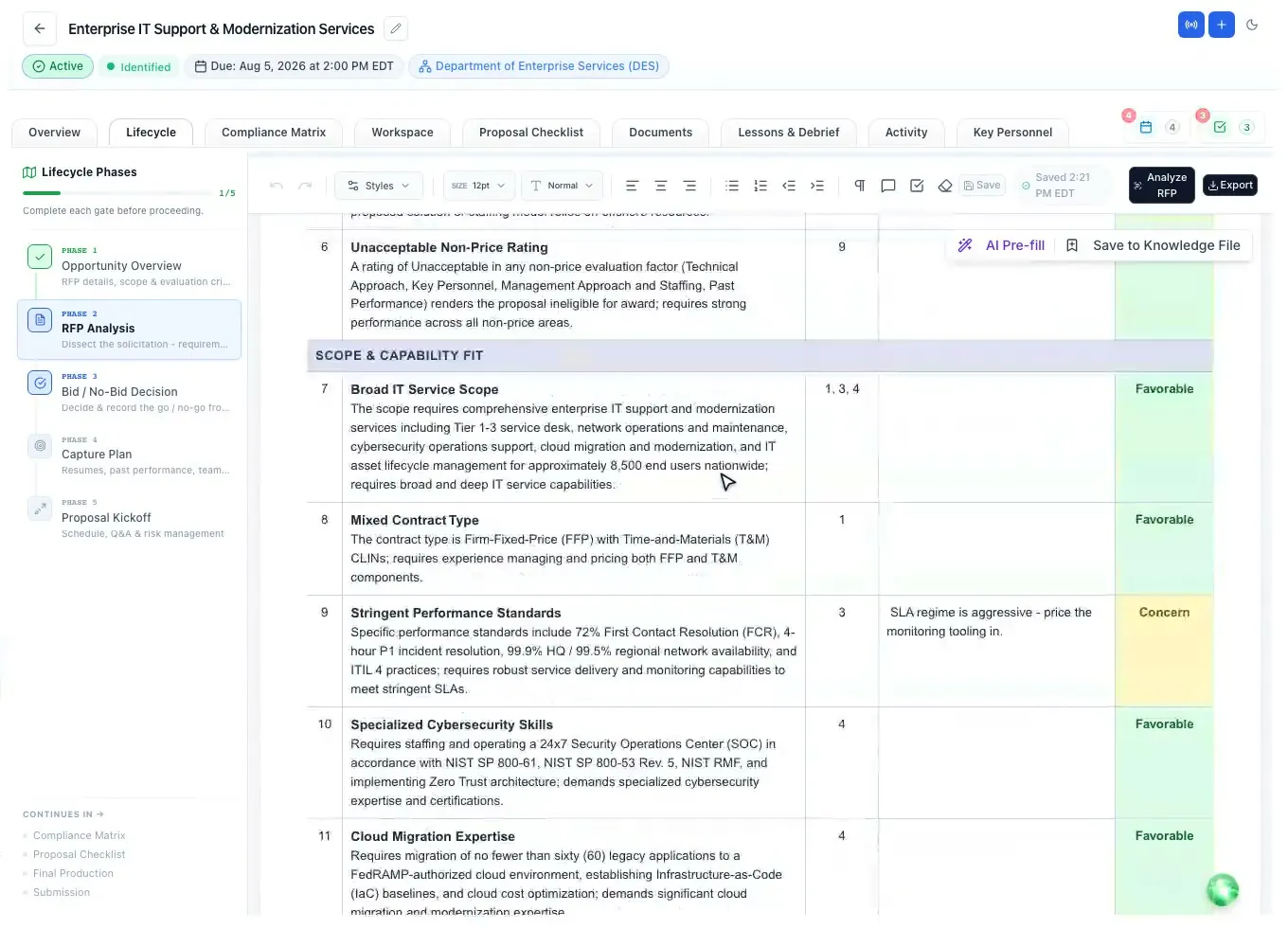
A companion submission checklist is built from the same RFP, grouping the administrative and compliance items that decide a responsive bid. A demo RFP produces 20 checklist items behind a live progress banner.
- Auto-built from the RFP - 20 items on the demo solicitation
- Grouped Submission Details, Page Limits, Formatting, Compliance
- Seven-state status per item drives a live progress banner
- Multi-sheet Excel and Word export
Evaluator's eye
Grade the draft
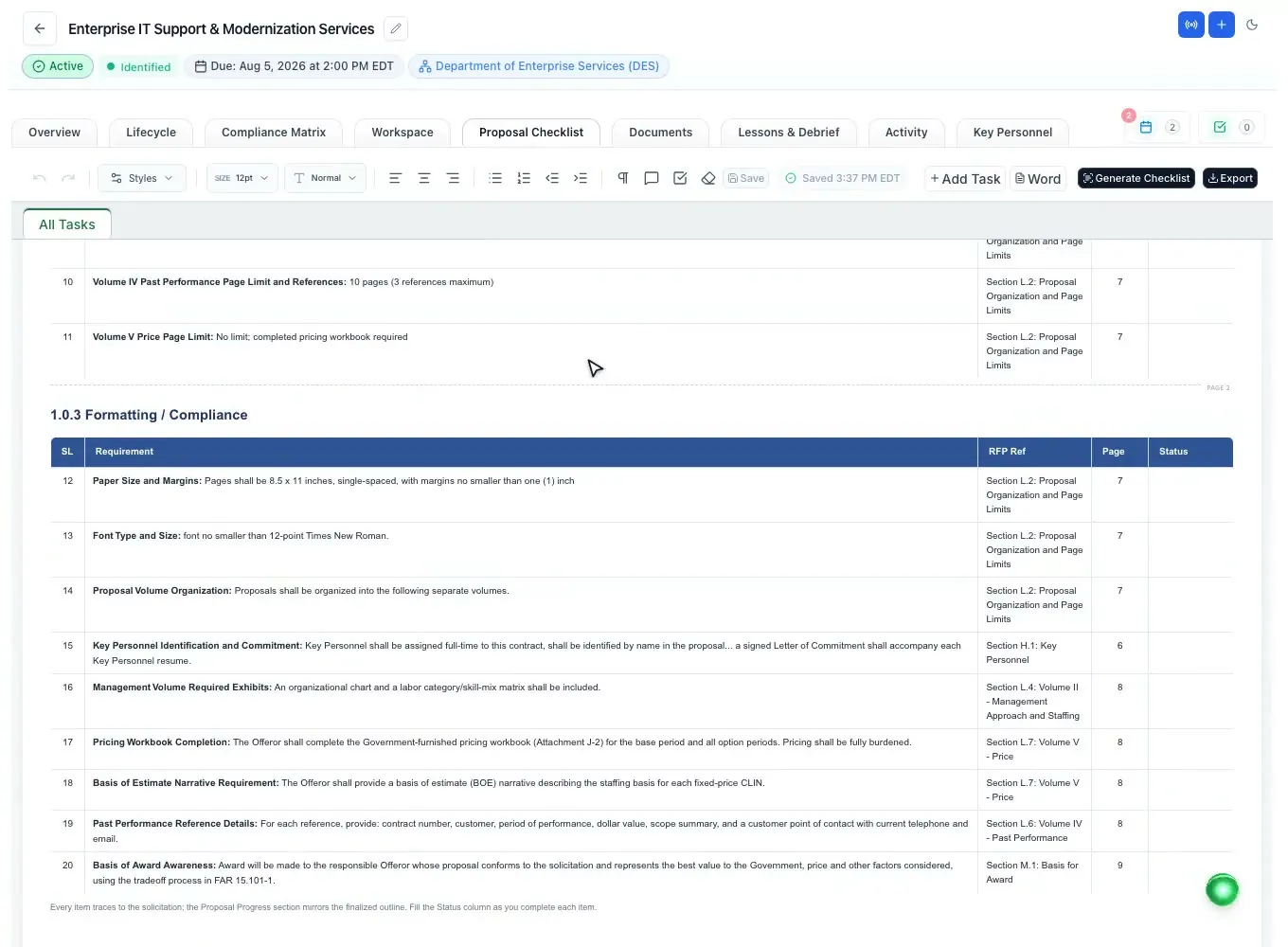
Score a drafted section against the requirement it answers before a reviewer ever opens it. The AI reads as a Source Selection Board evaluator and returns a 0-100 score with a Pass, Warning, or Fail verdict.
- Scores a drafted response 0-100 against its Section L/M requirement
- Returns a Pass, Warning, or Fail verdict with reasoning
- Suggests a compliance status for the row
- Reads with a Source Selection Board evaluator lens
Questions people ask
Questions about the AI compliance matrix
Does an AI-generated compliance matrix still need human review?
Yes. The AI gives you a complete starting matrix, every row with its source section and page, but a person should confirm the rows, assign an owner and make the compliance call. The summary banner shows how many rows are assessed and turns red as soon as one is marked non-compliant.
Does it pull both the instructions and the evaluation criteria?
Yes. Section L instructions, Section M evaluation factors and the Section C or PWS scope go into one matrix, broken down to a six-level hierarchy, with the requirement language highlighted (shall, must, should, may, will) so the mandatory items stand out.
Can it handle amendments?
Yes. When an amendment is released, ProposalWorkspace compares it with the base RFP section by section and correlates the added, modified and removed requirements into the matrix as tracked redlines attributed to the amendment, so you accept or reject each change.
How do I check that the proposal answers every requirement?
Run Check vs proposal. It checks every matrix row against the written proposal and reports where each requirement is answered ("Found under") or that it is "Not addressed in the proposal". Each row also keeps its source section and page, so a reviewer can trace it back to the RFP.
What is the difference between building a matrix by hand and with software?
By hand, someone copies each instruction and evaluation factor into a spreadsheet and keeps it current through every amendment. Here the matrix is generated from the RFP in one click or imported from your own Excel workbook, tracks owners and compliance calls live, and exports to Word or Excel.
Learn more
Related capabilities
 ProposalWorkspace
Ready when the next RFP drops.
Set up in minutes
Free trial, no credit card. Claude connector included.