RFP analysis
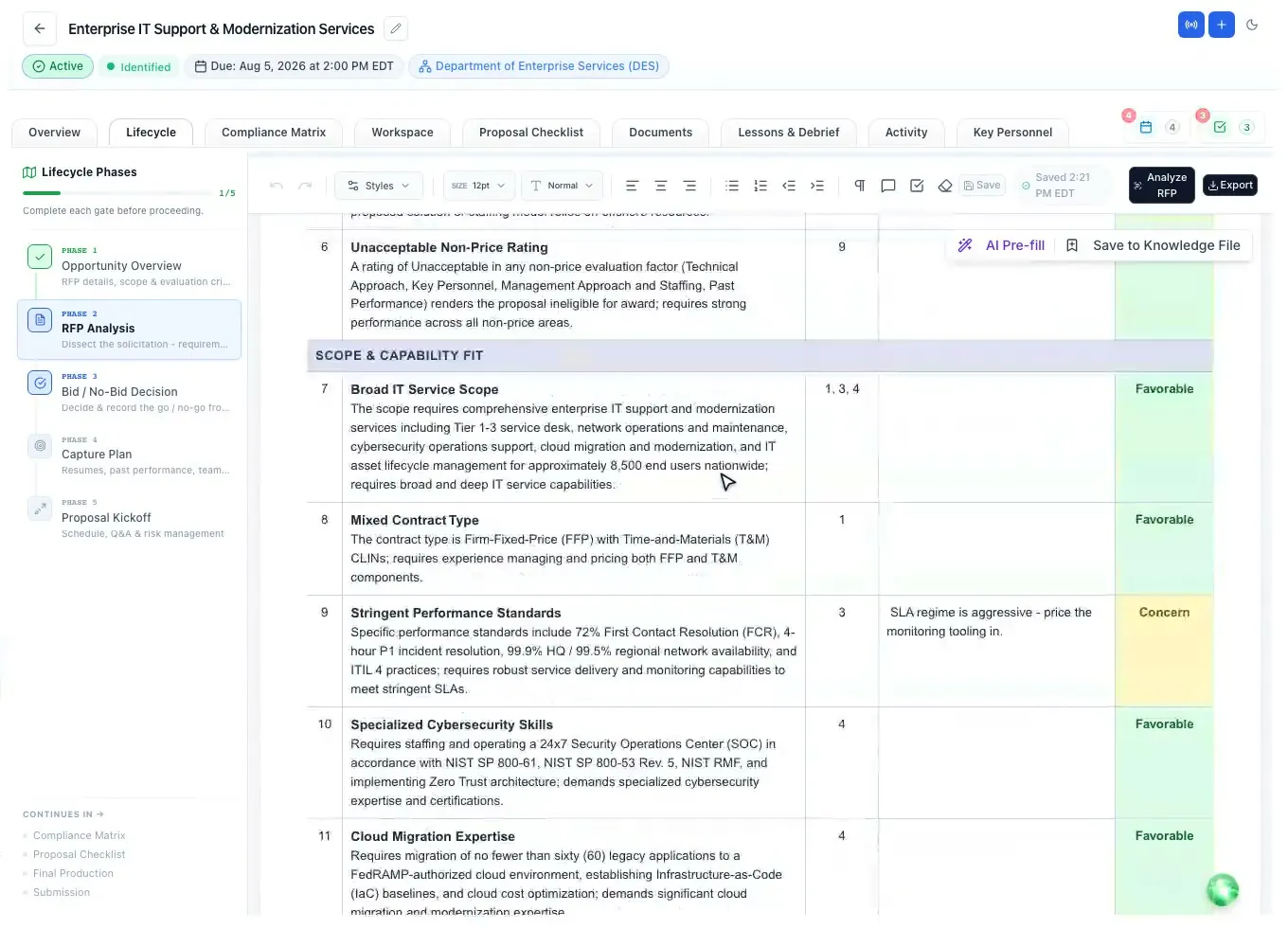
Go/no-go factors with the solicitation fact, why it matters and the page.
Read moreGovCon AI
Updated
AI for government contracting should read the solicitation the way your capture and proposal team does, and show its work. In ProposalWorkspace the built-in AI helps at every stage of a federal, state or local bid: it suggests search keywords, summarizes the opportunity, analyzes the RFP with page cites, builds the outline and compliance matrix, drafts and scores sections, and ranks key personnel, while your team makes every call.
Every feature on every plan, from $99 a month billed yearly.
GovCon AI, defined
Useful AI for government contractors does the reading and the first pass of the paperwork, so people can spend their hours on strategy, solutions and judgment. A federal solicitation can run hundreds of pages across the base RFP, the statement of work, attachments and amendments, and every requirement in it has to be found, answered and proven. Contractors report an average of 84 hours going into one proposal.
Government work also sets rules that general AI tools do not know about. On a federal RFP in the uniform contract format, Section L sets the instructions and Section M the evaluation factors (FAR 15.204-1; 15.109 in the FAR overhaul text). State and local RFPs set their own. An answer that misses one "shall" can make a proposal unacceptable, so the AI has to be traceable: every finding tied to the page it came from.
That is how the built-in AI in ProposalWorkspace is designed: it cites the solicitation, it leaves a clear marker where it needs your input instead of inventing facts, and its edits arrive as suggestions your team accepts or rejects.
Before you bid
Search starts with your words. Paste a description of what you sell and the AI turns it into 5 to 15 ranked search keywords, tuned to your company profile and to federal or state notices, which you tick before searching. Every SAM.gov notice and the state and local bids we carry are scored 0 to 100 against your business profile by a published, rules-based formula, so the score is explainable rather than a black box.
Once a bid looks promising, one click turns it into a proposal and the AI fills the fields SAM.gov left empty, such as the due date or question deadline, and copies the notice attachments in. The opportunity overview then gives a plain-language summary of who is buying what, the scope, the dates and how it will be evaluated, with page limits, required letters and discrepancies listed and cited.
The RFP analysis reads the solicitation as a capture manager would and returns the go/no-go factors, each with the solicitation fact, why it matters and the page, and flags the red flags. The capability matrix checks every requirement against the past performance you choose and marks it Covered, Partly, Thin or Gap with the quote that proves it. The bid/no-bid scorecard turns that into a weighted recommendation, and a person records the actual decision with a rationale.
Structure and compliance
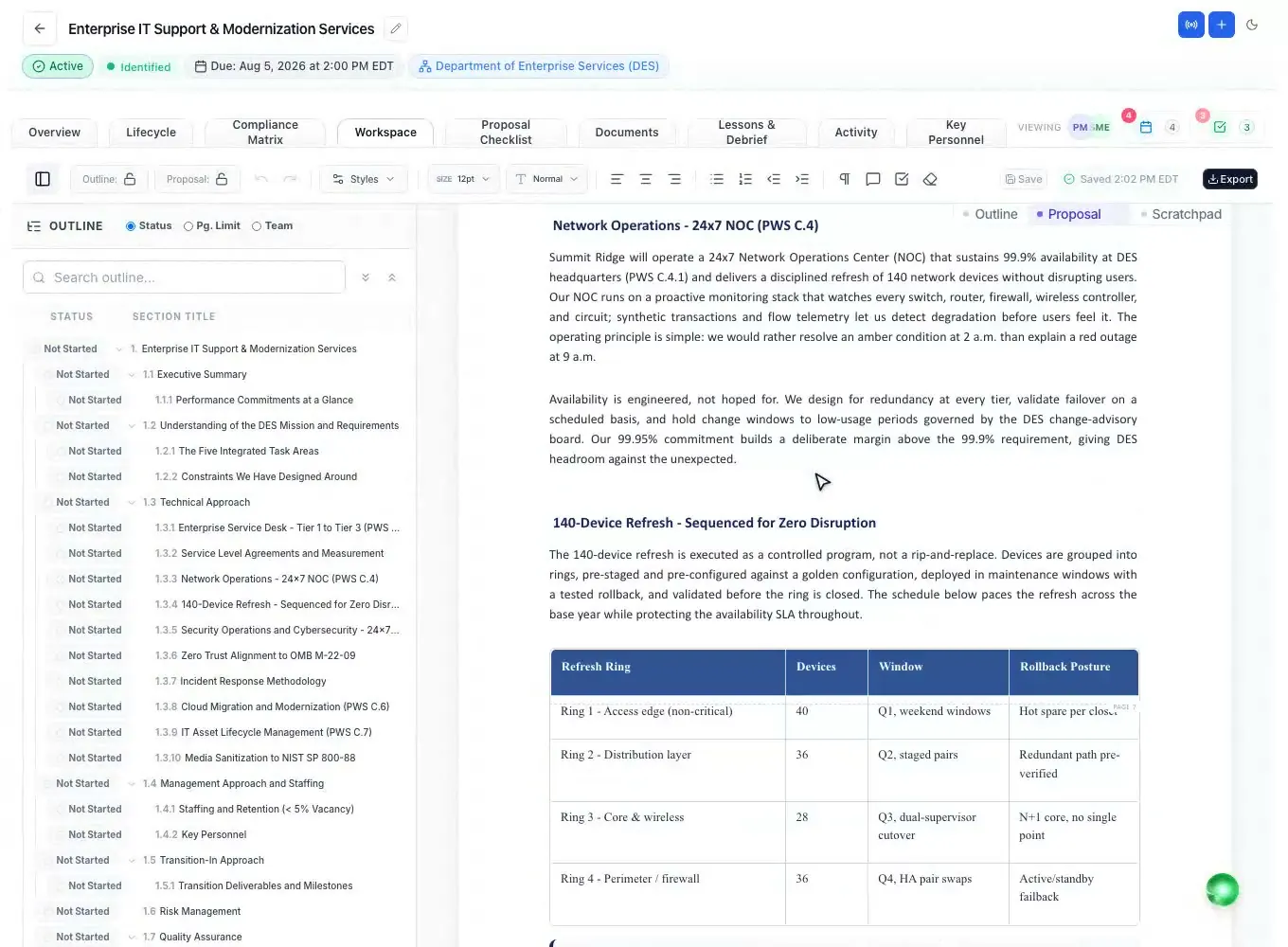
The AI builds the annotated proposal outline from Section L, Section M and the statement of work: one volume per the RFP's own volume names, each heading under the instruction it answers, with writer guidance and placeholders for resumes, letters and representations. It runs in the background and asks before replacing an outline you already have.
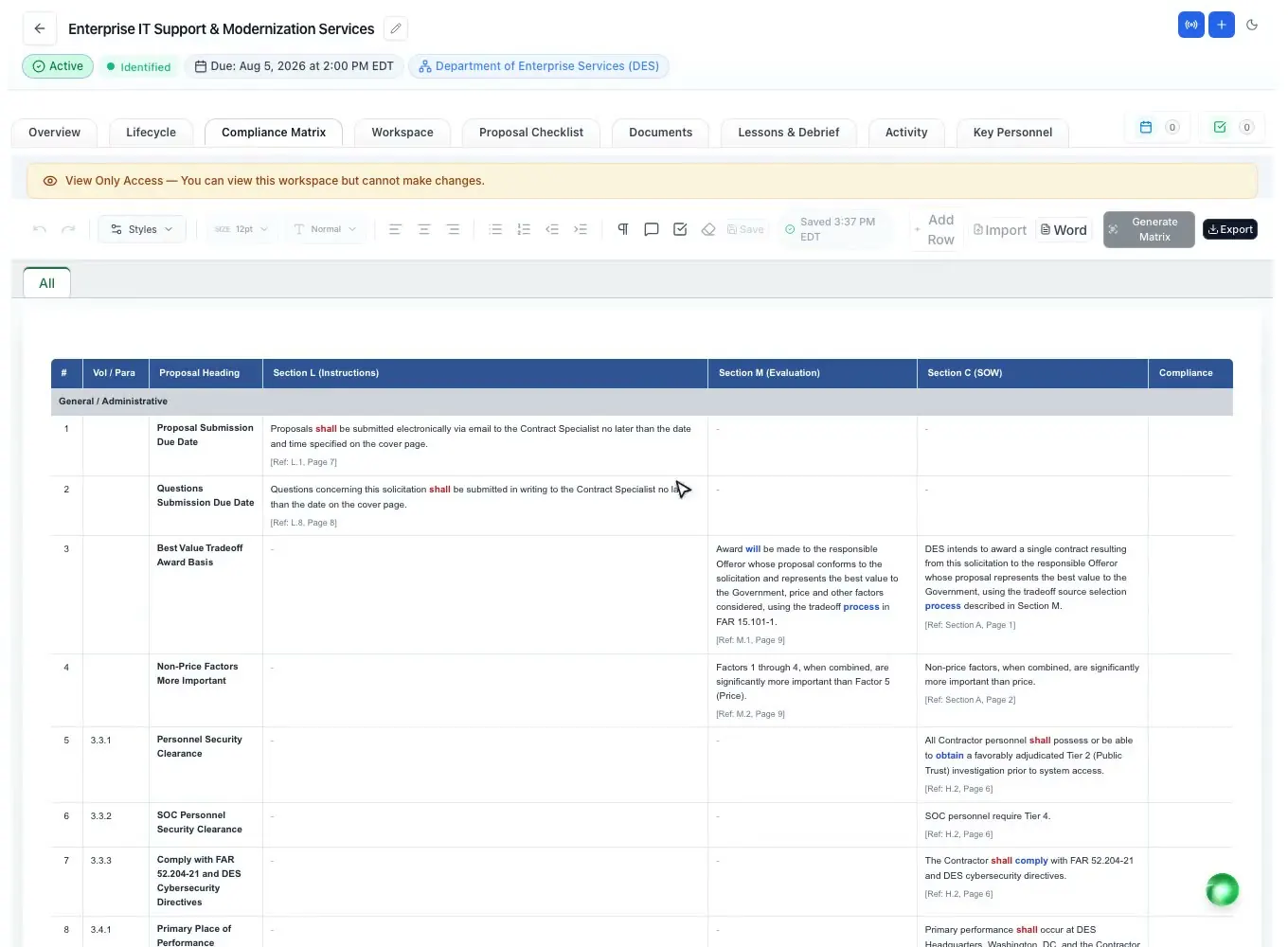
From the finished outline it decomposes Sections L, M and C into a compliance matrix, one row per requirement, with the action words color-coded so every "shall" and "must" stands out. Your team sets an owner and a compliance call on each row, and a check against the written proposal later reports where each requirement is answered in the written proposal, or that it is not addressed yet.
The Q&A Center finds the real ambiguities, conflicts and gaps in the RFP and drafts questions for the contracting officer, each linked to its source; you review them and send them from your own email. When an amendment arrives, the AI compares it with the base RFP and applies the changes as tracked edits marked "Amendment". More on the matrix: compliance matrix and the term itself in the glossary.
Drafting with a human in control
Once the outline exists, the AI can write the first draft of every section from the outline and your Company Library, with citations and clear needs-input markers where it lacks a fact. The full story of the drafting engine is on the AI proposal writer page.
In the editor, select any text and the Ask-AI popup offers five tabs: Polish (21 presets), Draft (24), Tables (32 proposal table designs such as a RACI or risk register), Graphics (29 kinds plus 7 editable charts, with facts checked against the selected text) and Callouts. Its rewrites arrive as word-level tracked changes attributed to the AI Assistant, so a reviewer accepts or rejects each one.
During reviews, the AI can score a drafted section against its compliance row the way a Source Selection Board evaluator would: 0 to 100 with Pass, Warning or Fail and the reason. That gives Pink and Red Team reviewers a head start on missing requirements, while the judgment stays with them. See color team review software.
Staffing and learning
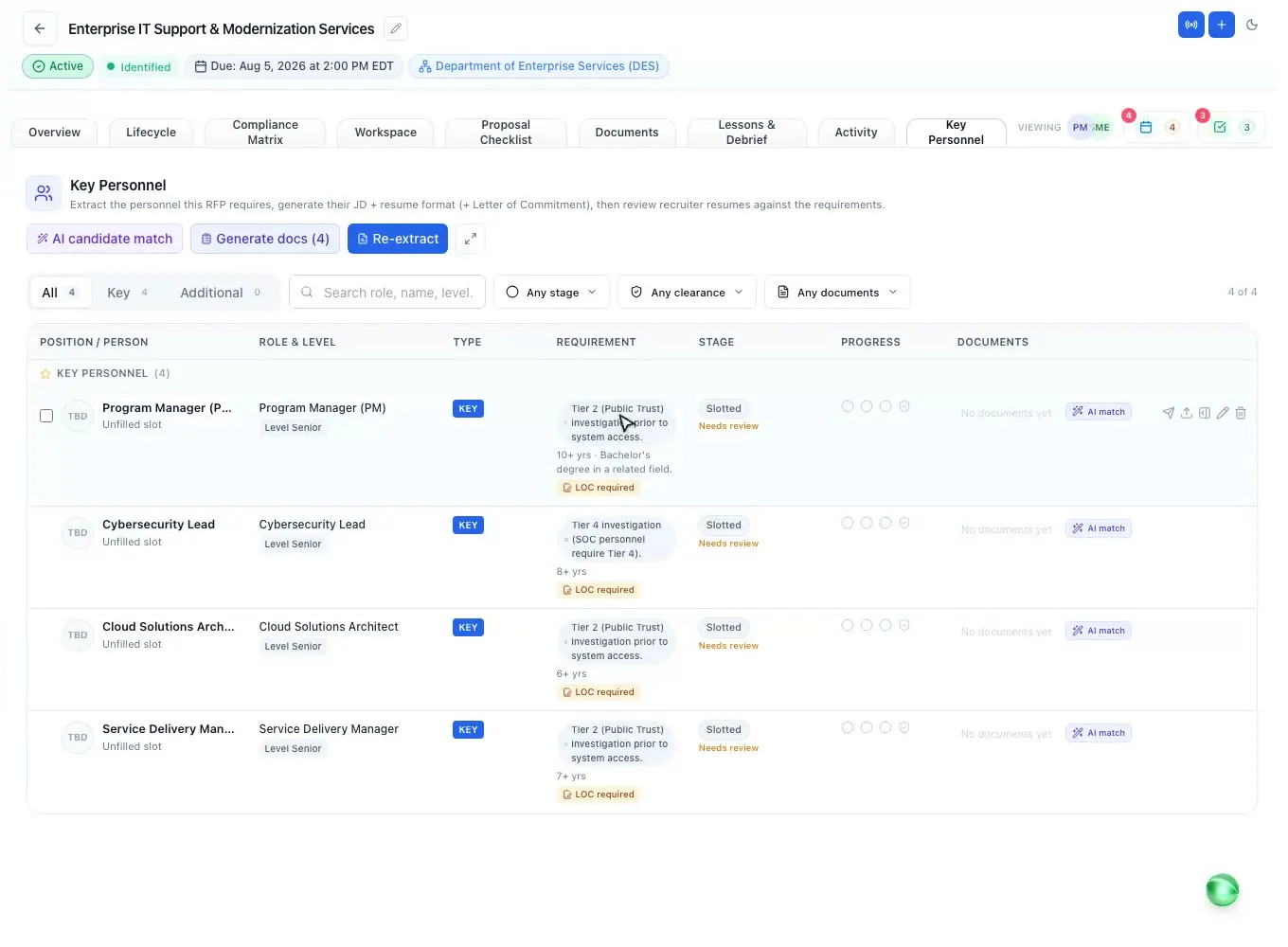
The AI extracts every key and non-key position the RFP requires, with the years, clearance, education and certifications each one needs, and raises a question card when the RFP is ambiguous. It then ranks your whole bench against those requirements, with a verdict, a score out of 100 and the evidence for each requirement; a missing clearance or citizenship caps the score.
For each candidate, the resume gap review judges every required and desired qualification as Met, Partial, Not Met or Not Evidenced with the exact words from the resume, and suggests a redline that marks what the candidate must provide instead of making it up. It never fabricates experience.
After the award decision, paste the agency debrief and the AI splits it into lessons, each with the observation, likely root cause and a recommendation. On the next pursuit it ranks the past lessons most likely to change how that bid is run. Background on debriefs: the debriefing glossary entry.
Trust and control
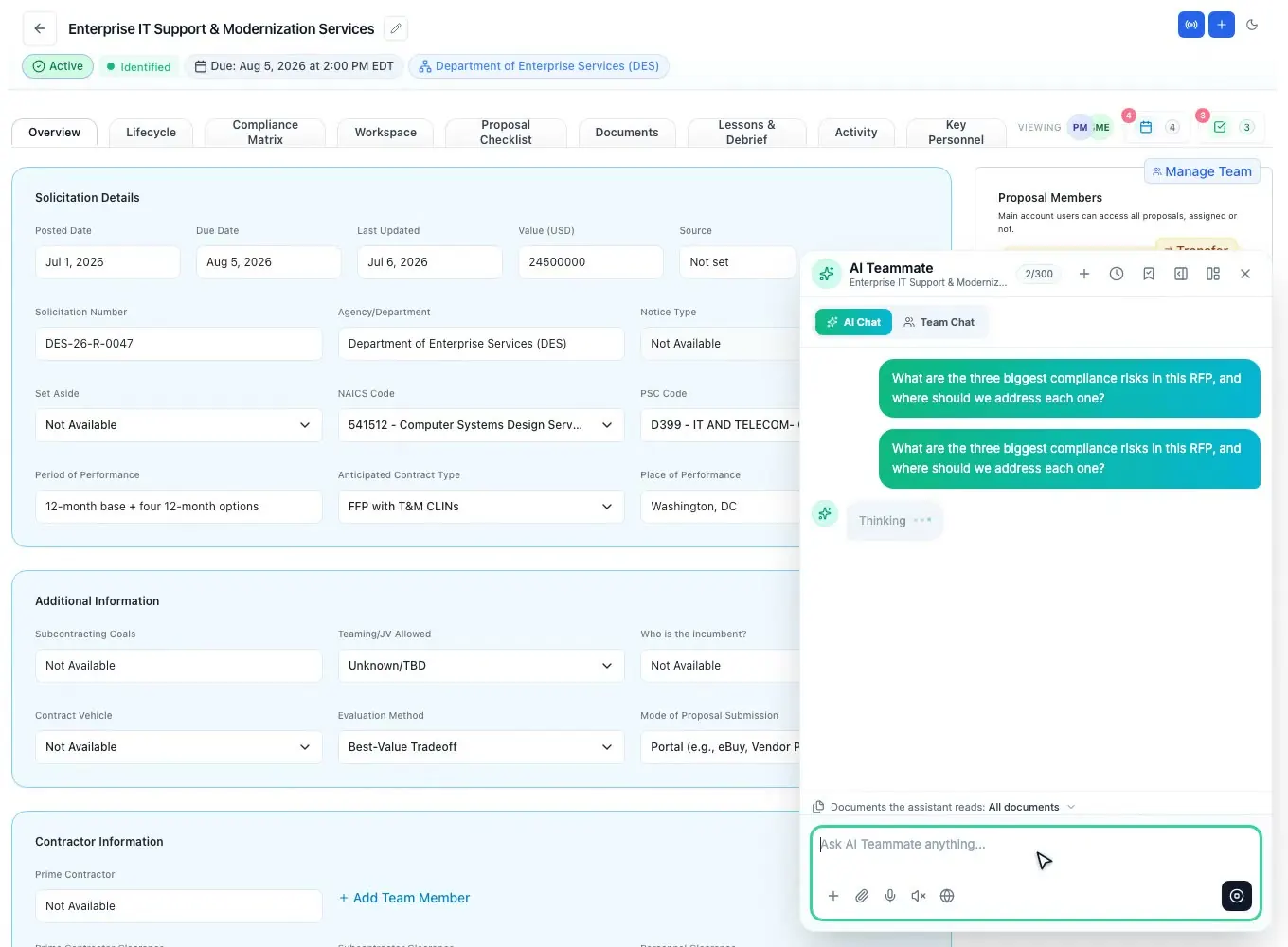
The AI chat opens on six surfaces, from a federal or state opportunity to the proposal editor, and knows where you are. You choose which solicitation documents it reads, dictate questions and have answers read aloud, keep a library of saved prompts, and drop its answers into the proposal as tracked changes. Web search is off by default; when you switch it on, sources come back numbered.
Prefer an AI assistant you already use? AI assistants that support MCP connectors can work inside your workspace through one connector URL and your existing login, with more than 100 tools scoped to your role. It is included on every plan, and the assistant never sees your password. See AI assistant connectors.
Every workspace is isolated by row-level security on every table, and no one can see which other companies a member works for. Files are encrypted in transit and at rest and open only through links that expire. Built-in AI features draw on a monthly AI credit allowance that comes with each plan (Solo 700, Team 2,500, Enterprise 6,000), and the balance and per-person use are visible in Settings.
How it works
Turn a description of your work into search keywords and see every bid scored against your profile.
Read the overview and the cited RFP analysis, check coverage, and record the bid decision.
Generate the annotated outline, then the L, M and C compliance matrix and checklist.
Start from an AI first draft and polish with tracked suggestions your team accepts or rejects.
Score sections like an evaluator, then turn the debrief into lessons for the next bid.
Every feature is on every plan. Plans start at $99 a month billed annually for Solo with 2 seats ($129 billed monthly). Subscribe today or book a demo with our team. Full pricing
In the product
Go/no-go factors with the solicitation fact, why it matters and the page.
Read moreSections L, M and C as rows with owners, compliance calls and a check against the draft.
Read moreA cited first draft of every section from the outline and your Company Library.
Read moreBench ranking and resume gap reviews with verbatim evidence.
Read moreThe AI tasks chained in the background, with live progress.
Read moreOne connector URL, your existing login, tools scoped to your role.
Read moreQuestions people ask
AI built for the way government bids work: it reads solicitations, finds and cites requirements, prepares the bid decision, builds the outline and compliance matrix, drafts and scores sections, and helps staff key personnel. In ProposalWorkspace it covers federal, state and local bids, and people make every decision.
It is built not to. Findings carry page or section cites, the first draft leaves clear needs-input markers where a fact is missing, the resume review marks what a candidate must provide instead of inventing it, and AI edits arrive as tracked changes for a person to accept or reject.
ProposalWorkspace has its own built-in AI, so there are no model choices or API keys to manage. AI features use the monthly AI credit allowance included with your plan.
Each workspace is isolated by row-level security on every table, files are encrypted in transit and at rest, and documents open only through links that expire. No one can see which other companies a member works for.
Yes. AI assistants that support MCP connectors can work in your workspace through one connector URL and your normal login, with tools scoped to your role. It is included on every plan. See AI assistant connectors.
Yes. The same AI reads state, county, city and school district RFPs and follows each one's own instructions and evaluation criteria. See government proposal software.
Plans start at $99 a month billed annually ($129 billed monthly) for 2 seats, with a monthly AI credit allowance and every feature included. See pricing or book a demo.
 ProposalWorkspace
Set up in minutes
Plans from $99 a month, billed yearly. Subscribe today or book a demo with our team.