Opportunity discovery
SAM.gov synced daily, state and local bids, match scores and daily alerts.
Read moreCapture management software
Updated
Capture management software helps a government contractor decide which bids to chase and how to win them before the RFP is out. ProposalWorkspace finds federal, state and local opportunities and scores each against your profile, tracks sources sought and RFI notices through gated phases, holds the capture and win strategy, checks your past performance against the requirements and records a defensible bid/no-bid decision.
Every feature on every plan, from $99 a month billed yearly.
GovCon capture
Capture is the work a contractor does before a solicitation is released to put itself in a position to win: understanding the customer and the requirement, sizing up the competition and the incumbent, lining up teaming partners, and deciding whether the pursuit is worth a proposal at all. Proposals that start at the RFP release usually start behind.
Capture management software keeps that work in one place for every pursuit, so the facts gathered months before the RFP are still there when the proposal team needs them, and so the decision to bid is made on evidence rather than enthusiasm. A no-bid made early is a win too: it frees the team for the pursuits where it has a real chance, instead of spending weeks on a proposal that was never going to score.
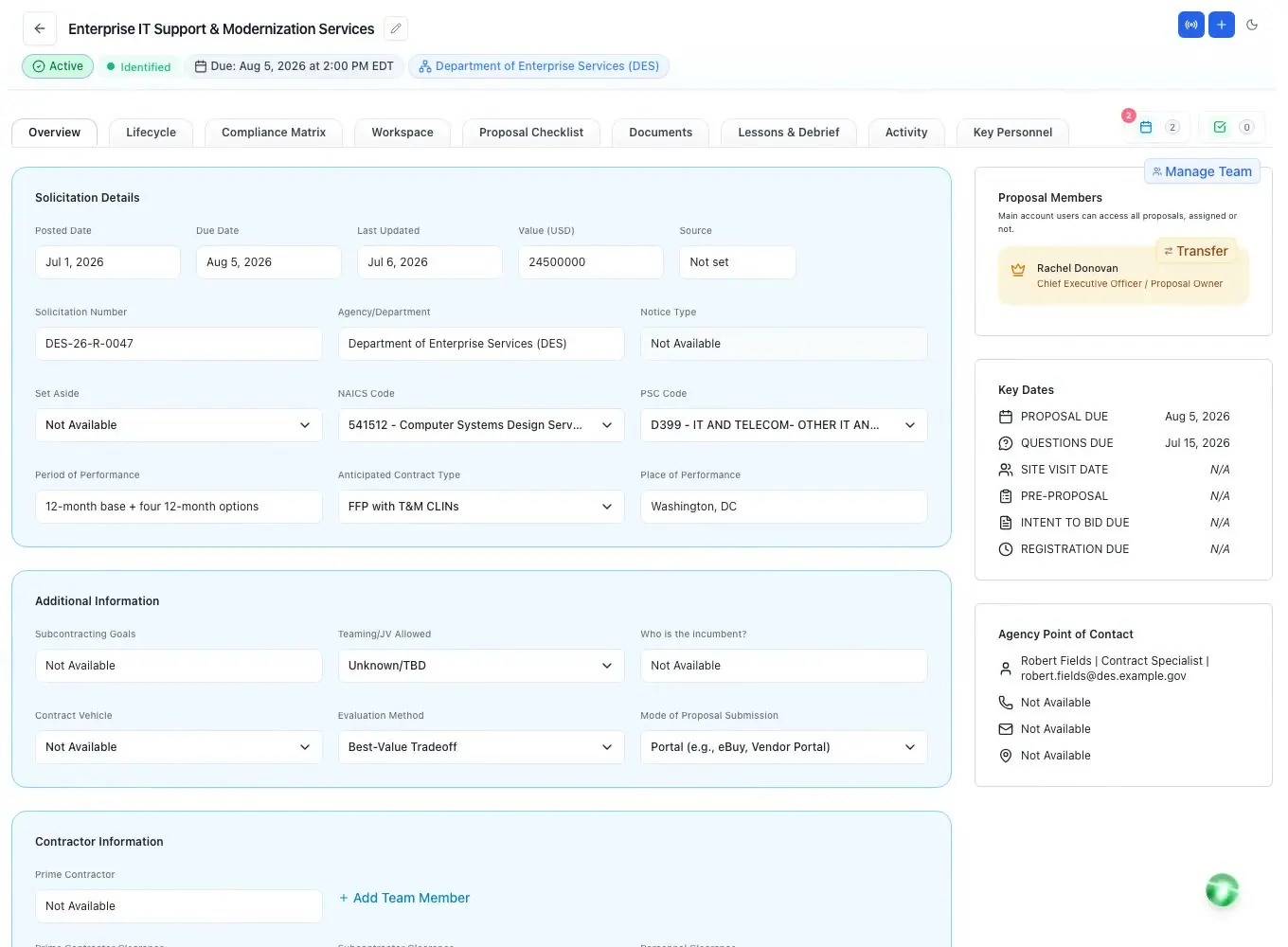
ProposalWorkspace covers capture from the first notice to the bid decision, in the same workspace where the proposal is later written. Nothing is re-entered when a pursuit moves from capture to proposal; the analysis, the strategy and the decision travel with it.
Opportunity pipeline
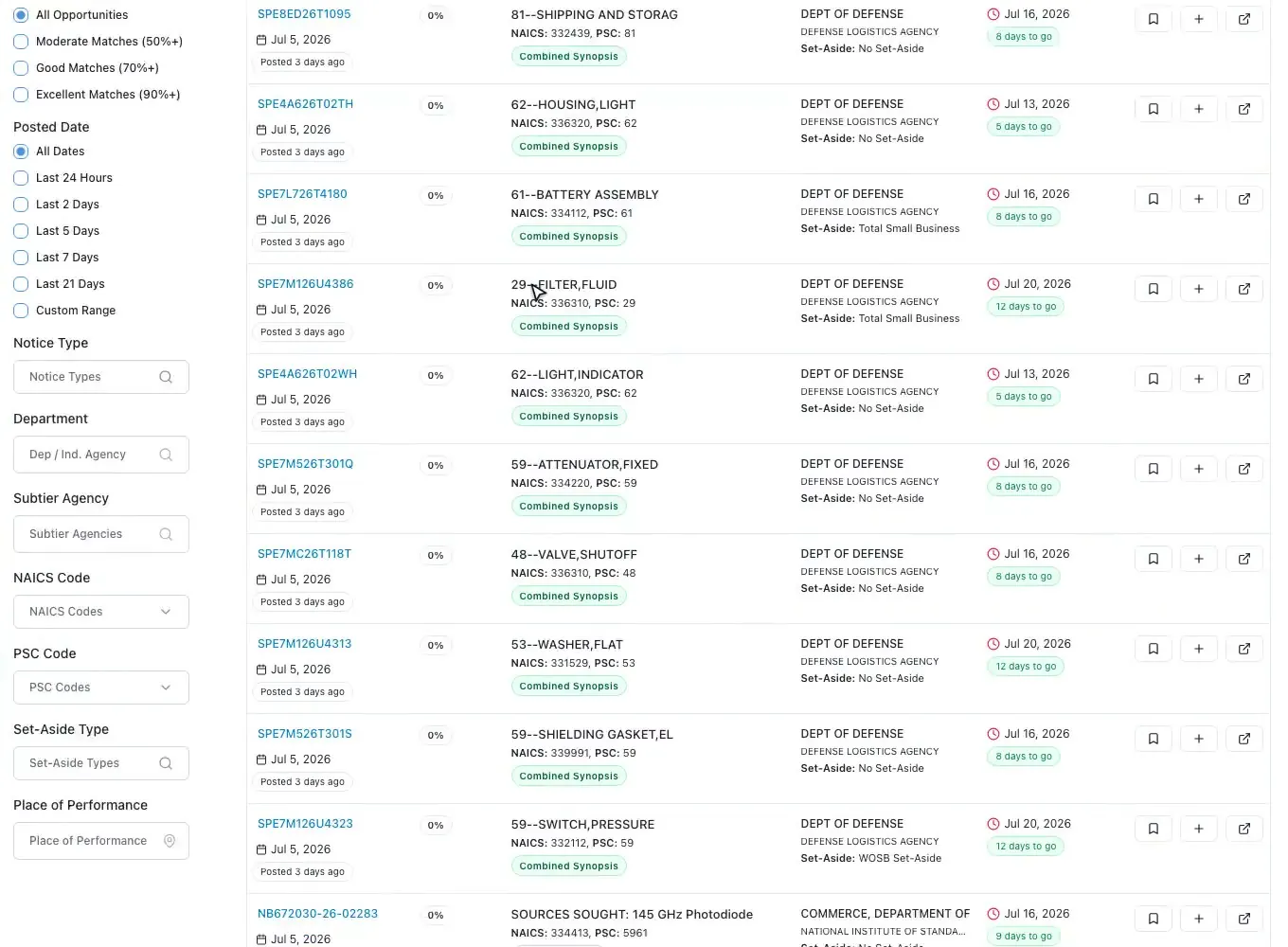
The federal feed is synced from SAM.gov every day, and state and local opportunities from across the US sit in the same workspace. Search by keyword, or paste a description and the AI suggests the keywords; filter by notice type, agency, NAICS and PSC codes, set-aside, place of performance, posted date and response deadline. Every filter lives in the address, so a teammate opens the same list.
Each opportunity gets a match score from 0 to 100 against your business profile by a published, rules-based formula: NAICS 30, PSC 25, agency 15, set-aside 15, state 10 and keywords 5, with the criteria that matched listed beside the score. Filter to 50, 70 or 90 percent and up.
State and local bids have filters of their own: notice type (RFP, RFQ, RFI, IFB and more), state, category, agency name and agency type, from state agencies to counties, cities, school districts and special districts. The same match score and saved alerts work there too.
Save the ones worth a look (saved items are shared with the team and show who saved them) and turn any search into a saved alert: a daily email with the new bids that match. When one is worth pursuing, add it to proposals and its documents come with it.
Sources sought, RFIs, draft RFPs
Agencies run market research before they buy (FAR Part 10), and much of it reaches industry as a sources sought notice or a request for information. Answering them is how a contractor shapes the requirement and gets on the buyer's radar, and a strong answer can help persuade a contracting officer that enough capable small businesses exist for a set-aside.
In ProposalWorkspace an early notice runs through its own four-phase pre-award lifecycle: Opportunity Overview, Opportunity Analysis with Gate 1 (is it worth tracking?), Capture with Gate 2 (should we prepare a response?), and Watch & Convert, which keeps the record of what you submitted and your check-ins, and promotes the pursuit when the RFP is released. It graduates to the final RFP with nothing re-entered.
Once the solicitation is out, a banner reminds the team that exchanges now go through the Contracting Officer (FAR 15.201(f)). How to write the response itself: responding to a sources sought or RFI, or start from the sources sought response template.
Capture planning software
The Capture Plan phase is a Capture & Win Strategy canvas with five parts: the customer, the competition (with ghosting and threat notes for each competitor), the team (each partner's share and the status of the agreement), win themes tied to the Section M factors they answer, and capture actions with owners. A capture signal reads At Risk, Building or On Track, so a manager sees which pursuits need attention.
An optional AI task drafts the capture plan skeleton from the solicitation, and the bid intelligence view suggests win themes, discriminators and ghost themes, names the incumbent and likely competitors where the documents show them, and lays out a risk matrix. Each is a starting point for the team to confirm, not a conclusion.
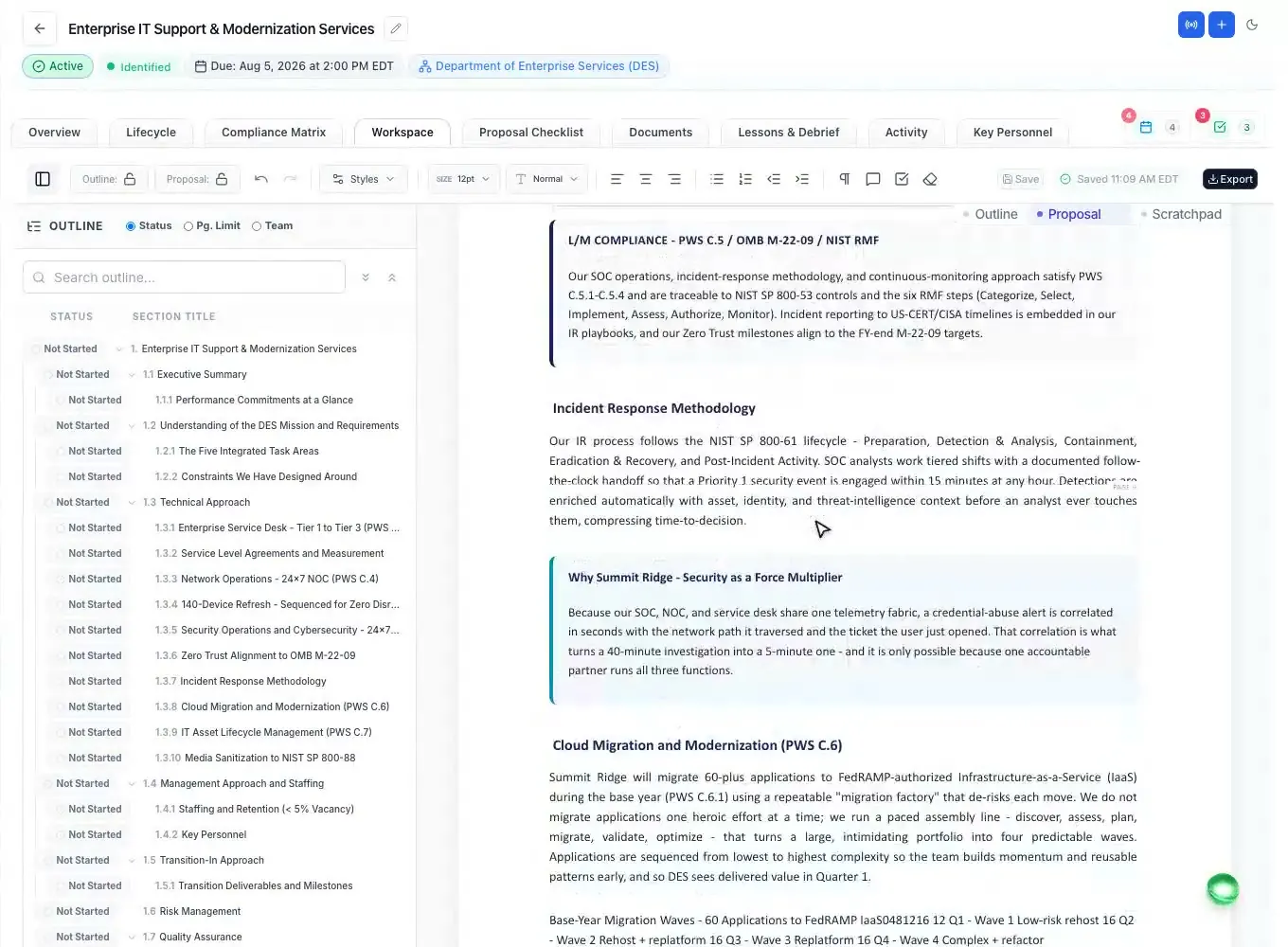
The strategy has to reach the page. Before submission, the Word add-in checks the finished document for win-theme coverage, so a theme agreed in capture that never made it into the volumes is caught while there is still time to add it.
Qualify the pursuit
The Capability Matrix sets every requirement and task the analysis found against the past performance you choose from your Company Library. Each row is Covered, Partly, Thin or Gap, with the quote that proves it, and every gap is named with what to do about it. Filter to the gaps, search, and export it to Excel.
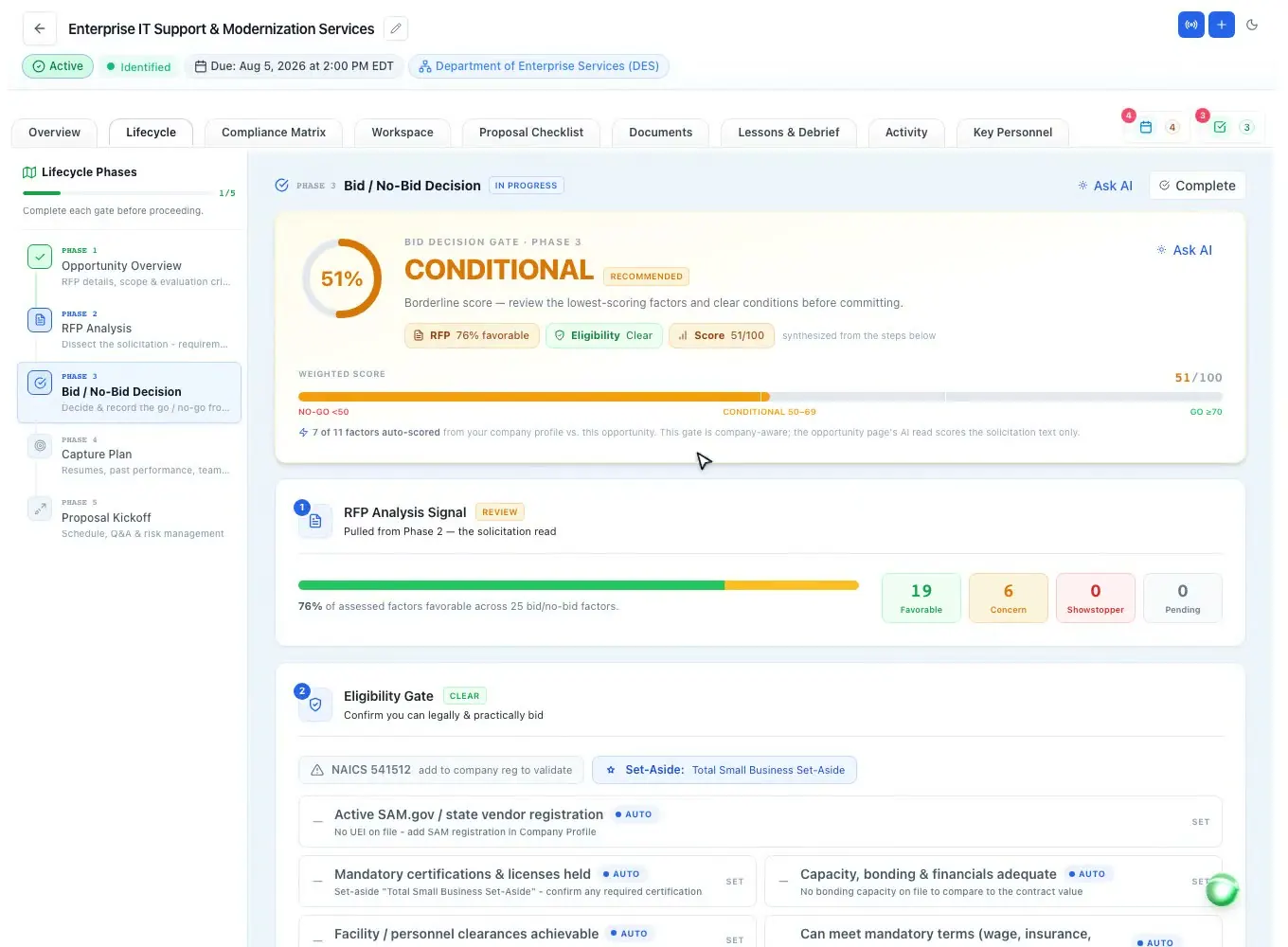
The Bid / No-Bid Decision is the single go/no-go gate. Any showstopper flagged in the analysis blocks the bid. A weighted scorecard rates win probability, strategic fit, capability and resources, financial and risk from 1 to 10, each weighted one to three times, and recommends GO at 70 and above, CONDITIONAL from 50 to 69 and NO-GO below 50. The capability coverage shows at the top, and a win chance estimate comes from the weighted score.
Proof comes from the Past Performance library: each reference holds the contract, agency, value, period, role, CPARS rating, government point of contact, relevance statement and evidence files, and five readiness checks (performed in the last three years, CPARS on file, a reachable government contact, evidence attached, a relevance statement) show whether it is ready to cite.
A person records the decision (bid or no-bid) with a rationale, kept apart from the computed recommendation. Confirmed factors can be saved to a company Knowledge File, and the next analysis can pre-fill from it with the source pursuit linked. More in the bid/no-bid checklist and the decision worksheet guide.
Across pursuits
The dashboard's pipeline card shows how many pursuits are identified, qualifying and bidding, with the year's wins, losses and win rate. Active proposals, critical deadlines in the next three days and the team's open tasks sit beside it.
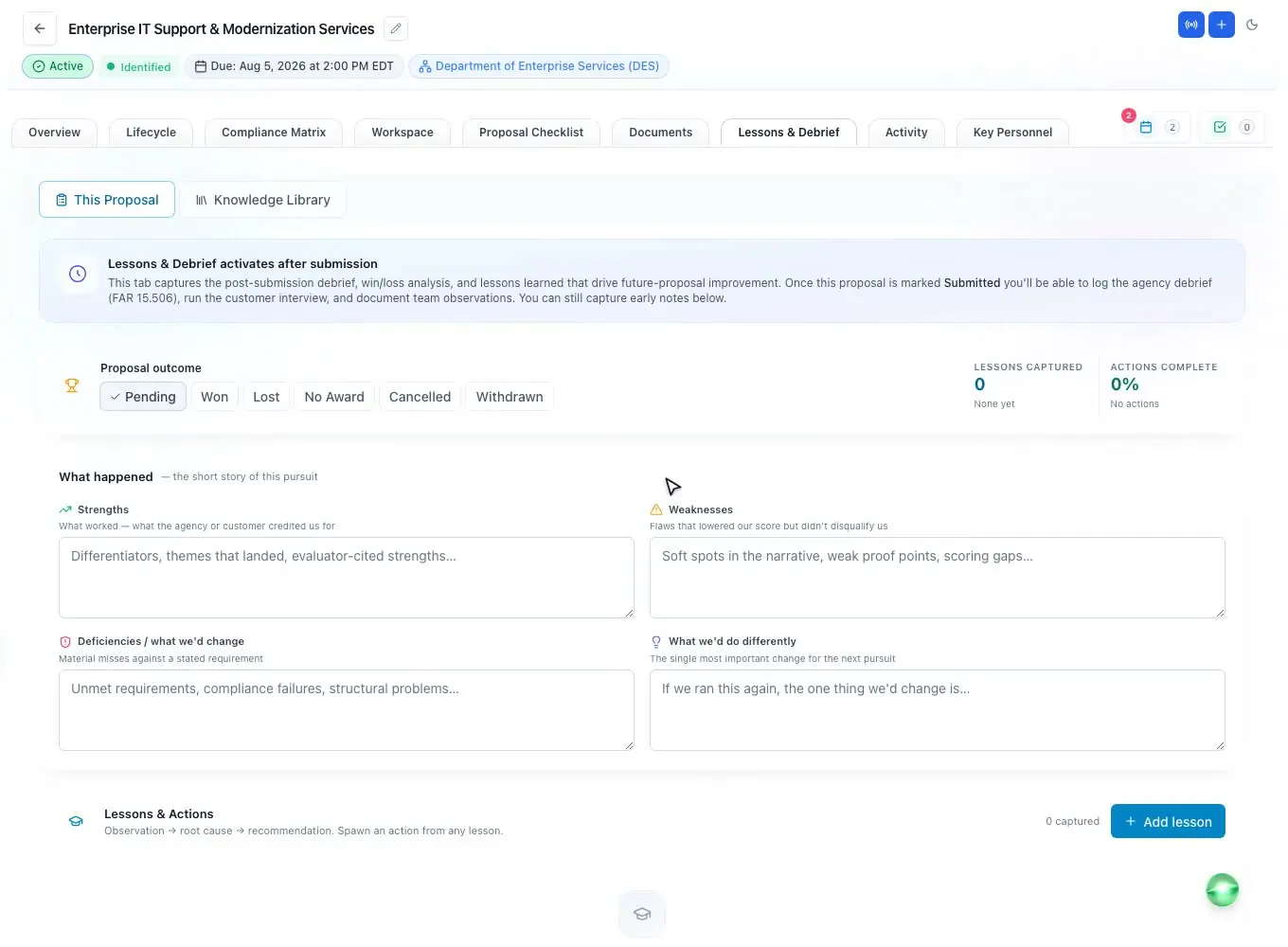
After each award decision, the Lessons & Debrief tab records the outcome, the agency debrief and a customer win/loss interview. The AI can turn a debrief letter into separate lessons, each with the observation, a likely root cause and a recommendation, for a person to review.
When the next capture starts, the lessons most likely to change how that pursuit is run are ranked for it, across agencies and NAICS codes, so the team does not repeat last year's weakness. The Knowledge Library keeps every lesson in one feed, and a debrief request has its own deadline under the FAR: see debriefings and the FAR 15.506 debrief guide.
How it works
Search federal, state and local bids and sort by match score.
Run sources sought and RFI notices through Gates 1 and 2.
Fill in the customer, competition, team and win themes.
Match past performance to every requirement and name the gaps.
Score the pursuit, clear the showstoppers and record bid or no-bid.
Every feature is on every plan. Plans start at $99 a month billed annually for Solo with 2 seats ($129 billed monthly). Subscribe today or book a demo with our team. Full pricing
In the product
SAM.gov synced daily, state and local bids, match scores and daily alerts.
Read moreA published 0-100 formula across NAICS, PSC, agency, set-aside, state and keywords.
Read moreAny search saved as a daily email of new matching bids.
Read moreShowstoppers, a weighted scorecard and the decision on record.
Read moreThemes tied to Section M and carried into the outline and draft.
Read moreLessons from every debrief, ranked for the pursuit in front of you.
Read moreQuestions people ask
Software that supports the work before a proposal: finding and qualifying opportunities, tracking early notices, planning the customer, competition, team and win strategy, and recording the bid/no-bid decision, so the proposal team inherits the facts instead of starting from scratch.
No. ProposalWorkspace keeps capture work per pursuit (notices, analysis, strategy, capability and the bid decision) next to the proposal itself. It does not manage contacts or forecast revenue.
By a published, rules-based formula against your business profile: NAICS 30, PSC 25, agency 15, set-aside 15, state 10 and keywords 5, out of 100. The criteria that matched are listed beside the score.
Yes. Sources sought, RFI and other early notices run through a four-phase pre-award lifecycle with two gates, and the pursuit graduates to the final RFP with nothing re-entered when the solicitation is released.
Any showstopper blocks the bid. Five factors are scored 1 to 10 and weighted one to three times; the total recommends GO at 70 and above, CONDITIONAL from 50 to 69 and NO-GO below 50. A person records the final decision with a rationale.
Yes. The capture plan records each partner's share and the status of the agreement, and once you bid, a data call gives each partner a private portal link to send their resumes, past performance and company details. See proposal management software.
Yes. Any search can be saved as an alert that emails the new matching federal, state and local bids once a day.
ProposalWorkspace starts at $99 a month billed annually ($129 billed monthly) for 2 seats, with every feature on every plan. Subscribe from pricing or book a demo.
 ProposalWorkspace
Set up in minutes
Plans from $99 a month, billed yearly. Subscribe today or book a demo with our team.