Quick automation
From a notice to a set-up proposal, with the AI tasks you pick queued in order.
Read moreProposal automation software
Updated
Proposal automation software takes the repeat work out of a government bid: reading the RFP, building the outline and matrices, chasing partners and resumes, and keeping dates in front of the team. In ProposalWorkspace one click turns a notice into a proposal and runs the overview, RFP analysis, outline, compliance matrix and checklist in the background, while reminders, data calls and the recruiter portal keep everyone else moving.
Every feature on every plan, from $99 a month billed yearly.
Where the hours go
Most of the hours in a government proposal go to work that has to be done the same way every time: opening every attachment, pulling out dates and requirements, building the outline and the compliance matrix, setting up the checklist, asking partners for their inputs, collecting resumes and letters, and reminding people of deadlines. Contractors report an average of 84 hours going into one proposal, and much of it is this kind of setup and follow-up.
Automation is only useful if it follows the solicitation exactly. On a federal RFP in the uniform contract format, the structure comes from Section L and the scoring from Section M (FAR 15.204-1; 15.109 in the FAR overhaul text); a state or local RFP sets its own rules. Generic document automation does not know any of that.
ProposalWorkspace automates the setup and the chasing, and leaves the decisions and the writing choices with your team.
From notice to proposal
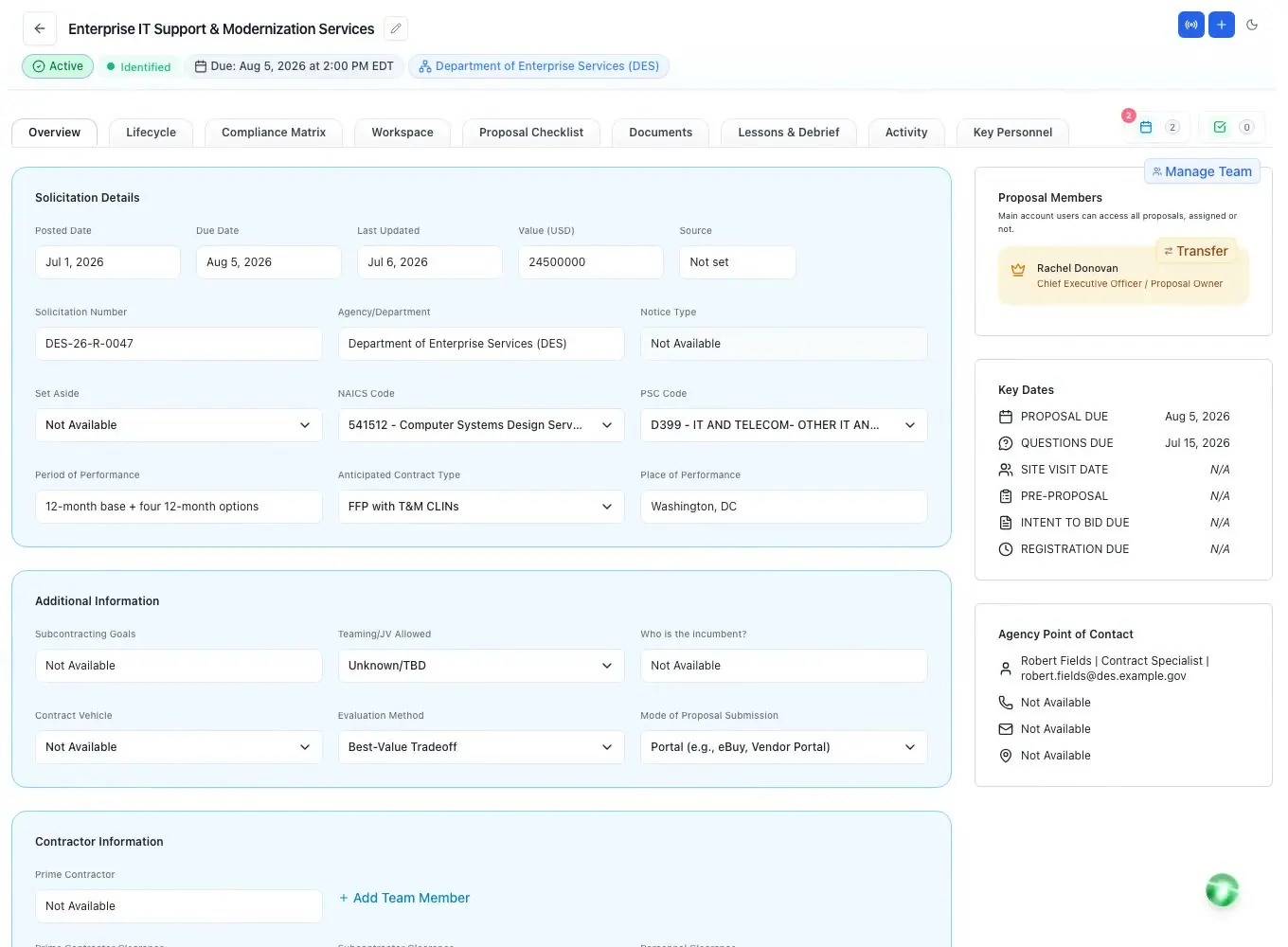
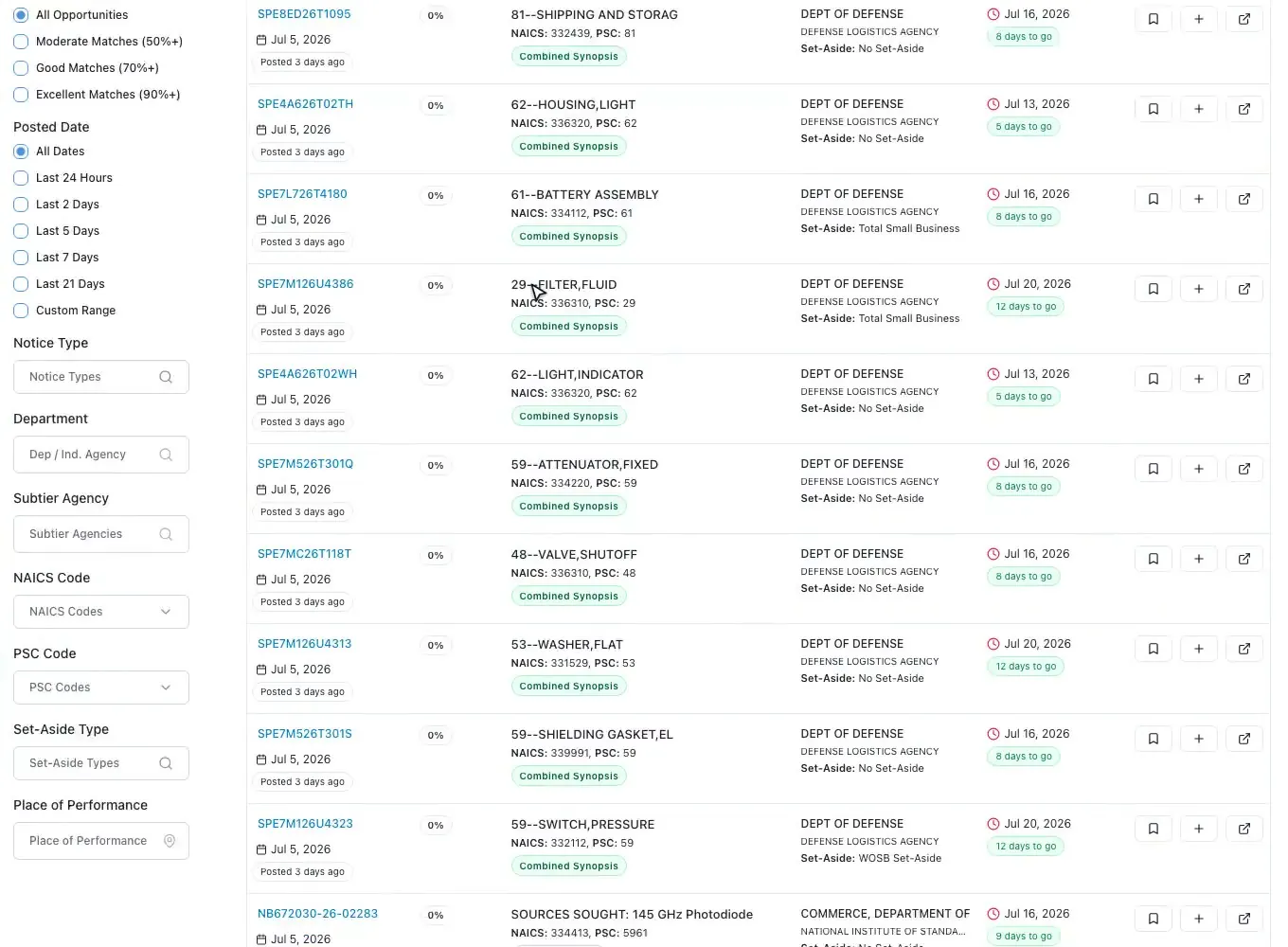
On any federal or state opportunity, Add to Proposals opens a quick automation step: choose the lifecycle stage (a pre-award notice or the final RFP) and tick which AI tasks to run. ProposalWorkspace creates the proposal, copies the notice attachments into its documents, and queues the tasks. If you already have a proposal for that solicitation number, it asks whether to open it or create another.
On the way in, the AI fills the fields SAM.gov left empty, such as the due date, the question deadline, site visit or pre-proposal dates and an estimated value, and tells you how many fields it filled. From the RFP itself it reads the solicitation number, agency, dates, NAICS and PSC codes, set-aside, contract type, evaluation method, submission mode and points of contact, and flags what it could not find.
A short kickoff setup then asks for the question due date, lets you assign the team to roles in a few clicks, and confirms which AI tasks to run. Finding the bids in the first place is covered on opportunity discovery.
RFP automation
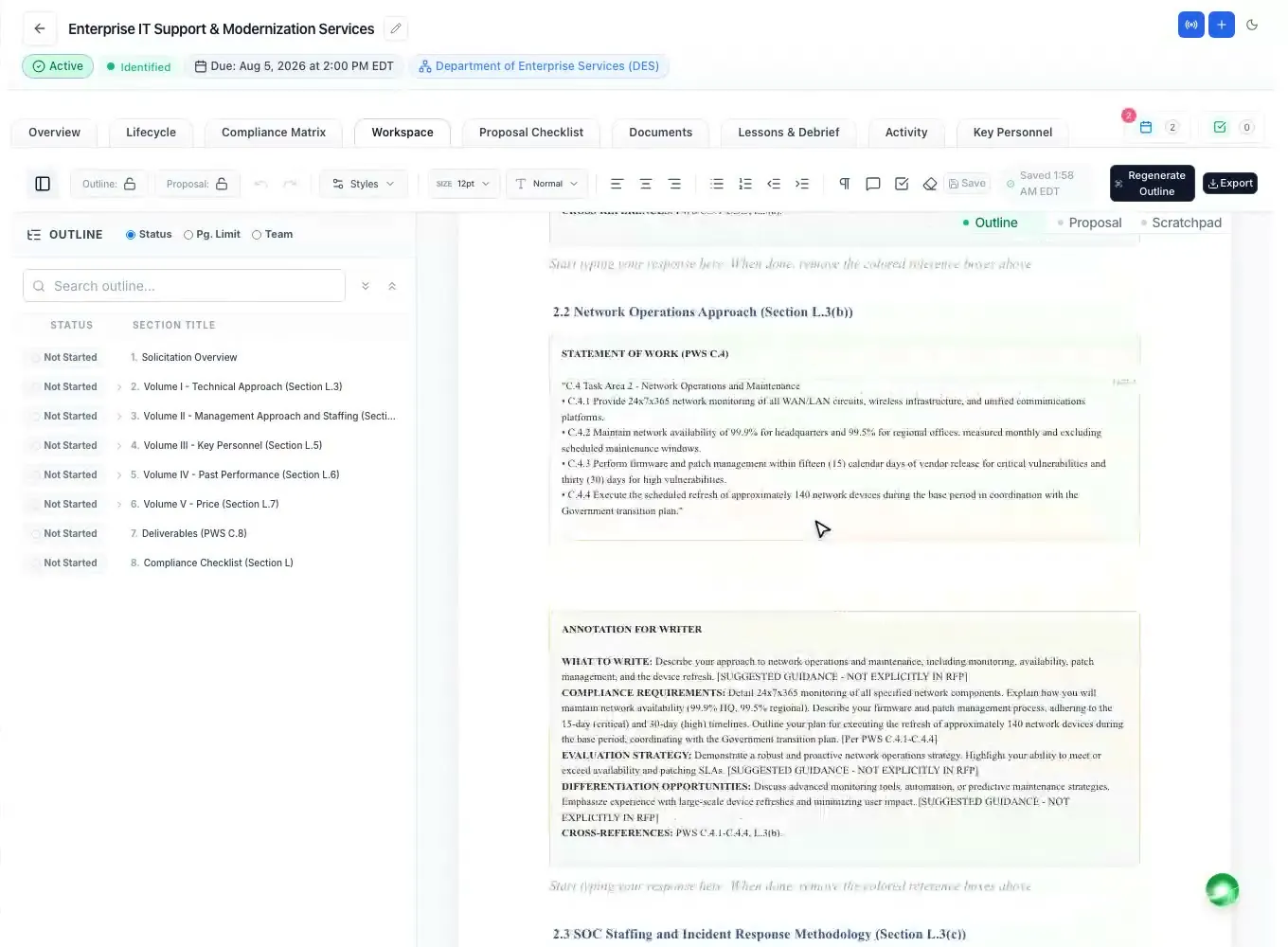
The recommended chain runs in a fixed order, because each step builds on the last: generate the opportunity overview, run the RFP analysis, generate the proposal outline, generate the compliance matrix, generate the proposal checklist. Optional tasks set up the lifecycle phases, draft the capture plan, match your past performance and find questions to ask the agency. The compliance matrix and checklist wait until the outline is finalized, so they match the structure your team agreed on.
Tasks run on the server, not in your browser: close the tab and they keep going. Each one reports its progress as it works, the sidebar shows what is running and what is ready to view, and each proposal row carries a badge while its AI work is under way. A task is never run twice by accident.
What each task produces is covered elsewhere: the analysis on RFP analysis, the outline on the proposal outline generator, the matrix on compliance matrix, and the AI behind them on AI for government contracting.
Late changes and paperwork
When an amendment arrives, ProposalWorkspace compares it with the base RFP and lists what was added, changed or removed, section by section. You apply those changes to the proposal as tracked edits marked "Amendment", so reviewers see exactly what moved and nobody rewrites a volume from scratch. Answers to your questions in a later amendment are matched back to the questions you asked.
Standard forms take minutes instead of an afternoon: the SF-form fill maps a fillable form's fields to your company registration and the proposal, seeding UEI, CAGE and TIN directly and showing the rest with a confidence level and source note for review. Approved values are written into the PDF, which can be flattened and saved as a new document version. It never fills signatures, never invents a value and never submits anything.
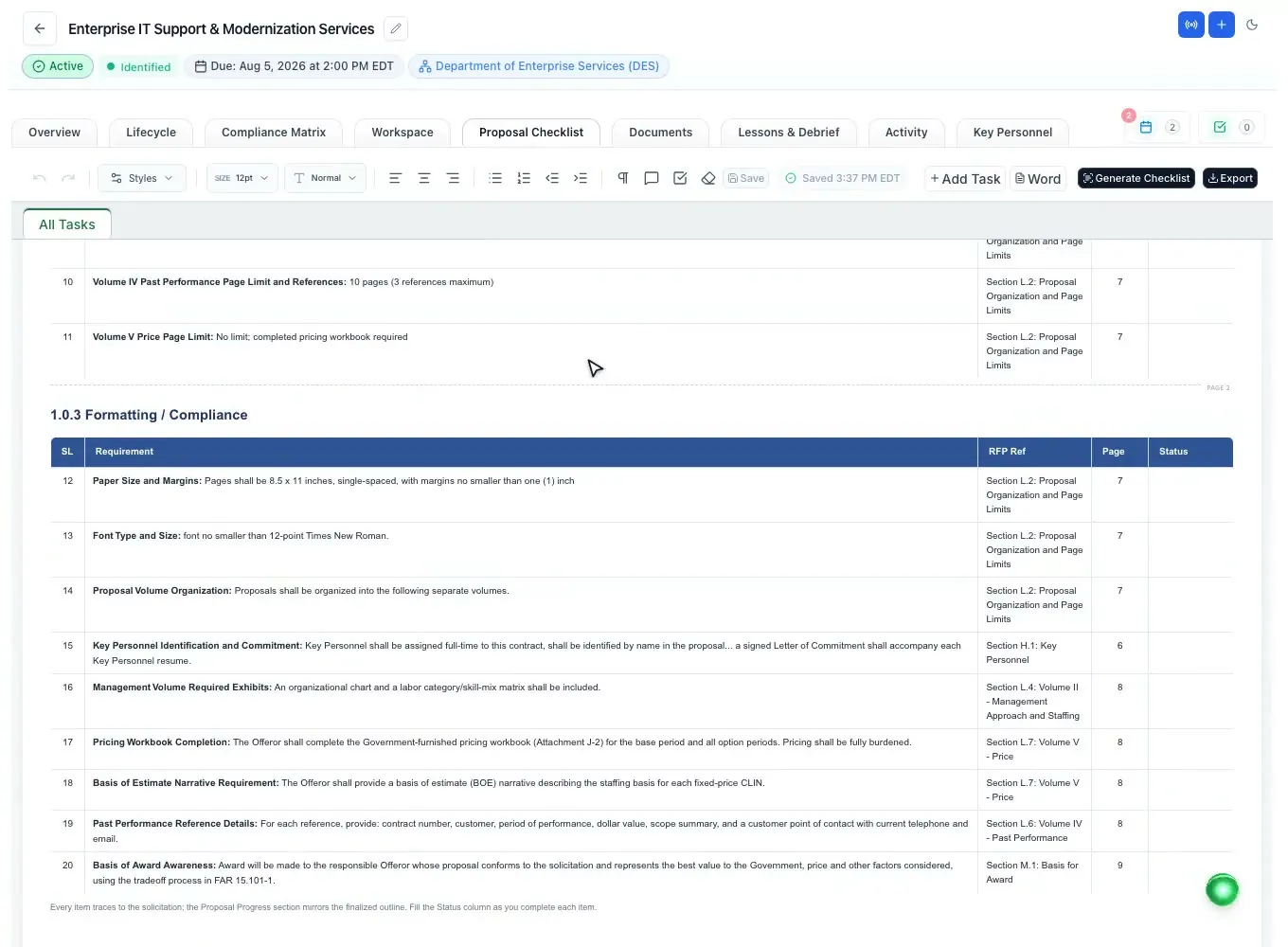
The submission checklist comes from the RFP too, grouped into submission details, page limits, formatting and compliance, each item with its own status and a live progress banner, and it exports to Excel and Word. Background: amendments in the glossary.
Chasing inputs, automated
Data calls plan what each teaming partner must send, from Section L, Section M, the work statement and the outline, and build a Word package per partner. Each partner gets a private portal link by email, sees only their own part, uploads their files without an account, and can save and finish later. The tracker sends reminders, asks for changes and accepts submissions, and answers that pass a check against the RFP can be written into the proposal, with Undo.
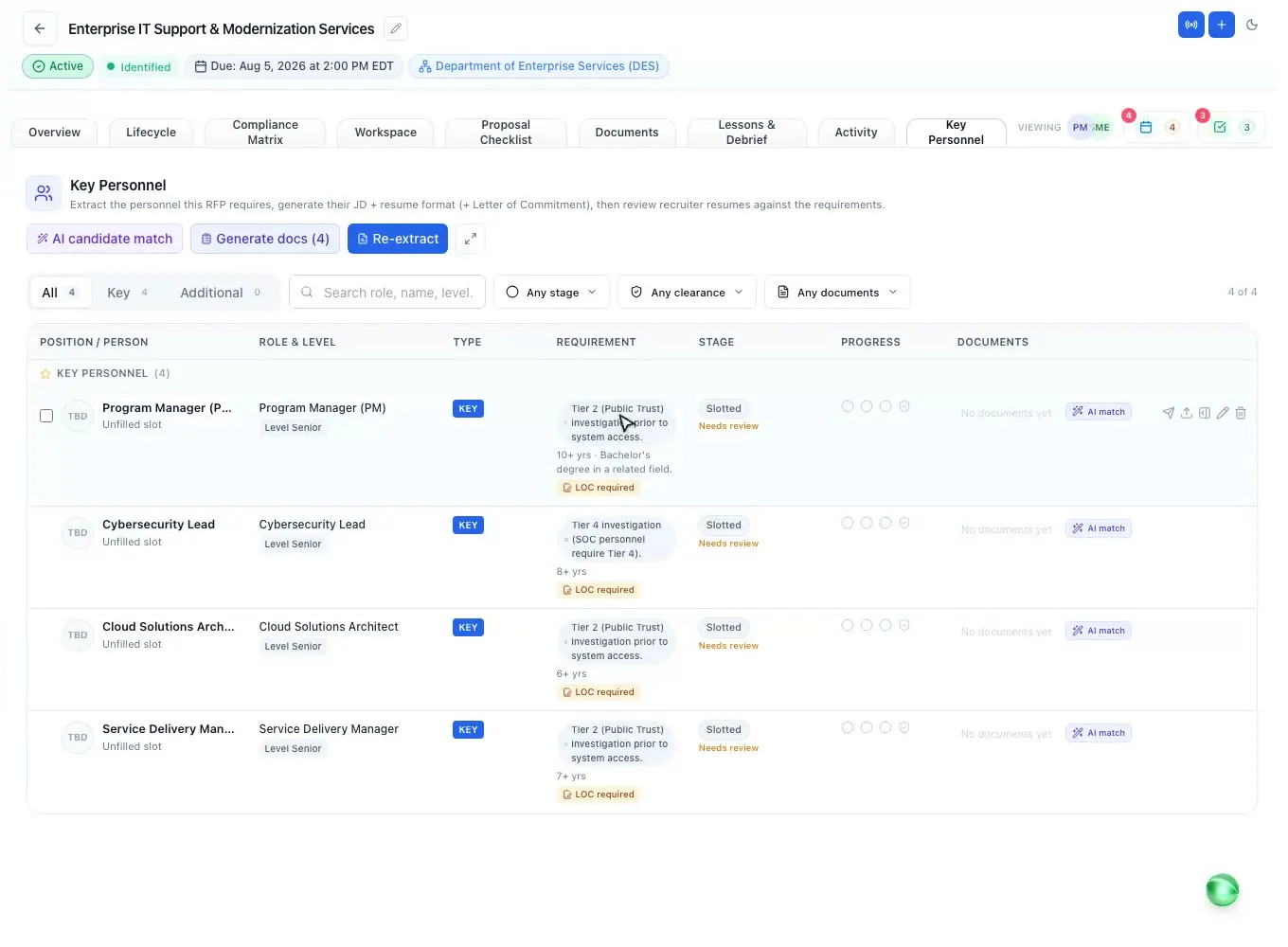
Key personnel follows the same pattern. Generate the job description, a blank resume format and, when the RFP requires one, a letter of commitment for each position, then send one or many positions to a recruiter with a checklist of the documents you need and due dates. The recruiter works in a secure portal without a login, and you are notified on every upload and submission.
More on staffing: key personnel. More on partners: data calls and the teaming agreement glossary entry.
The last mile
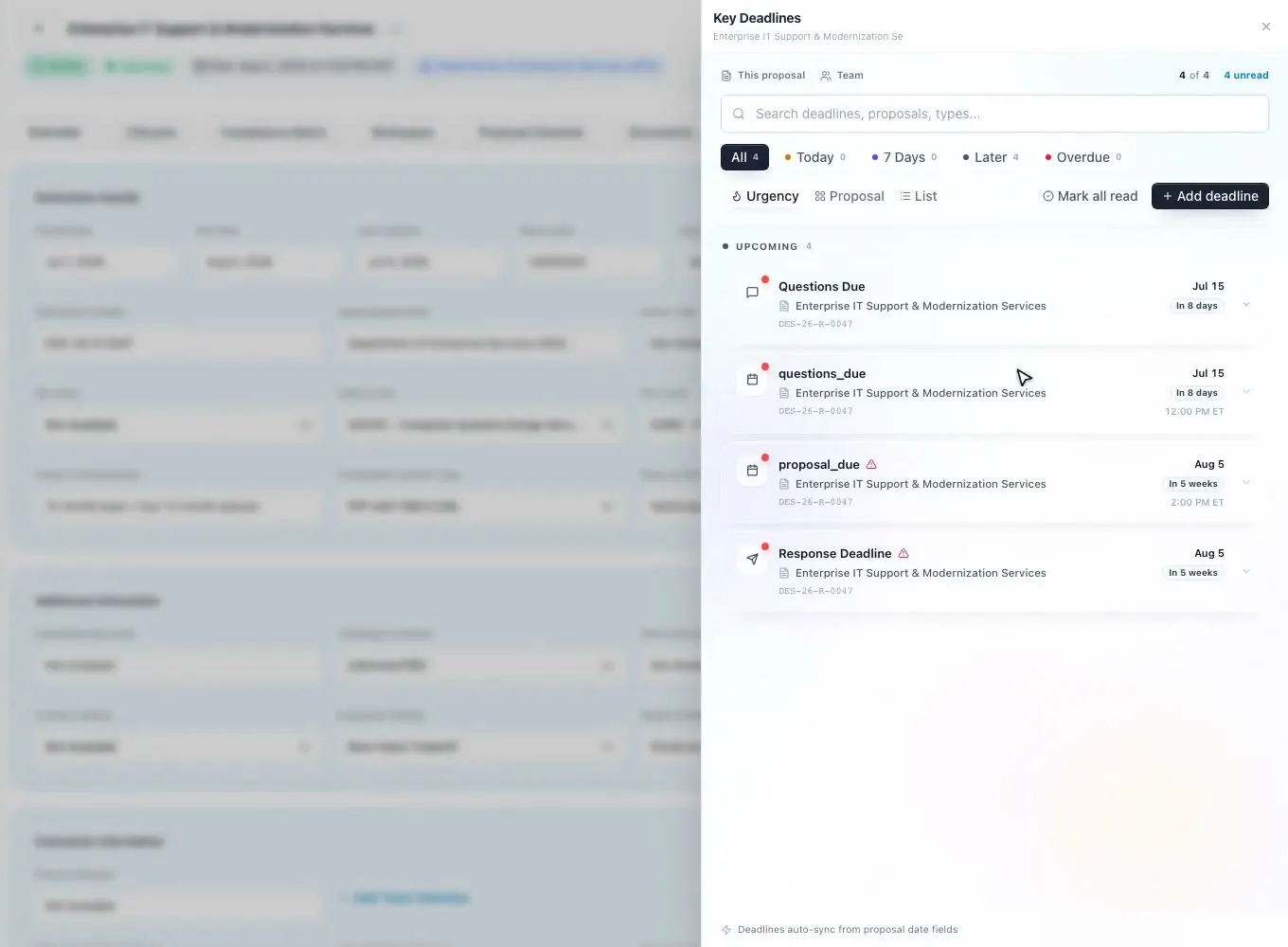
Tasks remind their owners one and three days before they are due, and anyone can send a one-click nudge. Every proposal deadline, including Pink, Red and Gold Team review milestones, sends a daily reminder email to the proposal team in the three days before it, and a changed date emails the team. Saved searches send a daily email of new matching bids, so nobody has to search by hand each morning.
In team calls, the AI Scribe records the meeting and pulls out action items, decisions and deadlines; action items become tasks on the proposal you choose, with an owner and a due date, and a meeting summary email can go to the people you pick. Nobody has to retype the notes after a kickoff or a review meeting.
When the volumes are ready, export to Word (.docx), Word with a table of contents, or PDF, with the federal heading numbering the same in each format. Pick several volumes and each becomes its own file in one .zip; the compliance matrix and checklist export to Excel. Last checks on the open document run in the Word, Excel and PowerPoint add-in.
How it works
Add to Proposals creates the proposal, fills the missing fields and copies the attachments.
Overview, RFP analysis, outline, then the compliance matrix and checklist, in the background.
Data calls to partners and requests to recruiters go out by private link.
Task and deadline reminders send themselves; amendments arrive as tracked changes.
Each volume to Word or PDF, the matrix and checklist to Excel.
Every feature is on every plan. Plans start at $99 a month billed annually for Solo with 2 seats ($129 billed monthly). Subscribe today or book a demo with our team. Full pricing
In the product
From a notice to a set-up proposal, with the AI tasks you pick queued in order.
Read moreThe annotated outline from Section L, Section M and the work statement.
Read moreGenerated from the finished outline, exported to Excel or Word.
Read morePer-partner packages and a private upload portal, with reminders.
Read morePositions, document checklists and due dates sent to recruiters by link.
Read moreReminder emails before every task and deadline, review milestones included.
Read moreQuestions people ask
Software that does the repeat work of a proposal for you: reading the solicitation, setting up the outline, compliance matrix and checklist, collecting inputs from partners and recruiters, and reminding people of deadlines. For government bids it has to follow the RFP's own instructions and evaluation criteria.
After you add a bid, the opportunity overview, RFP analysis, proposal outline, compliance matrix and checklist can run as one background chain, with optional capture plan, lifecycle phases, past performance match and question finding. Reminders, data call follow-ups and amendment comparisons also run without anyone starting them by hand.
No. Nothing is submitted, signed or sent to the agency on your behalf. Questions for the contracting officer go out from your own email after you review them, forms never get a signature, and a person signs off on the final check before the proposal moves to submission.
Yes. The tasks run on the server and keep going; the sidebar shows what is running and what is ready, and each proposal shows its progress when you come back.
The amendment is compared with the base RFP section by section, and the changes can be applied to the proposal as tracked edits marked "Amendment", so reviewers see what changed.
Yes. Add to Proposals and the same task chain work from state and local bids, and the outline follows each RFP's own instructions. See state and local proposal software.
ProposalWorkspace starts at $99 a month billed annually ($129 billed monthly) for 2 seats, with every feature on every plan. See pricing or book a demo.
 ProposalWorkspace
Set up in minutes
Plans from $99 a month, billed yearly. Subscribe today or book a demo with our team.