Opportunity discovery
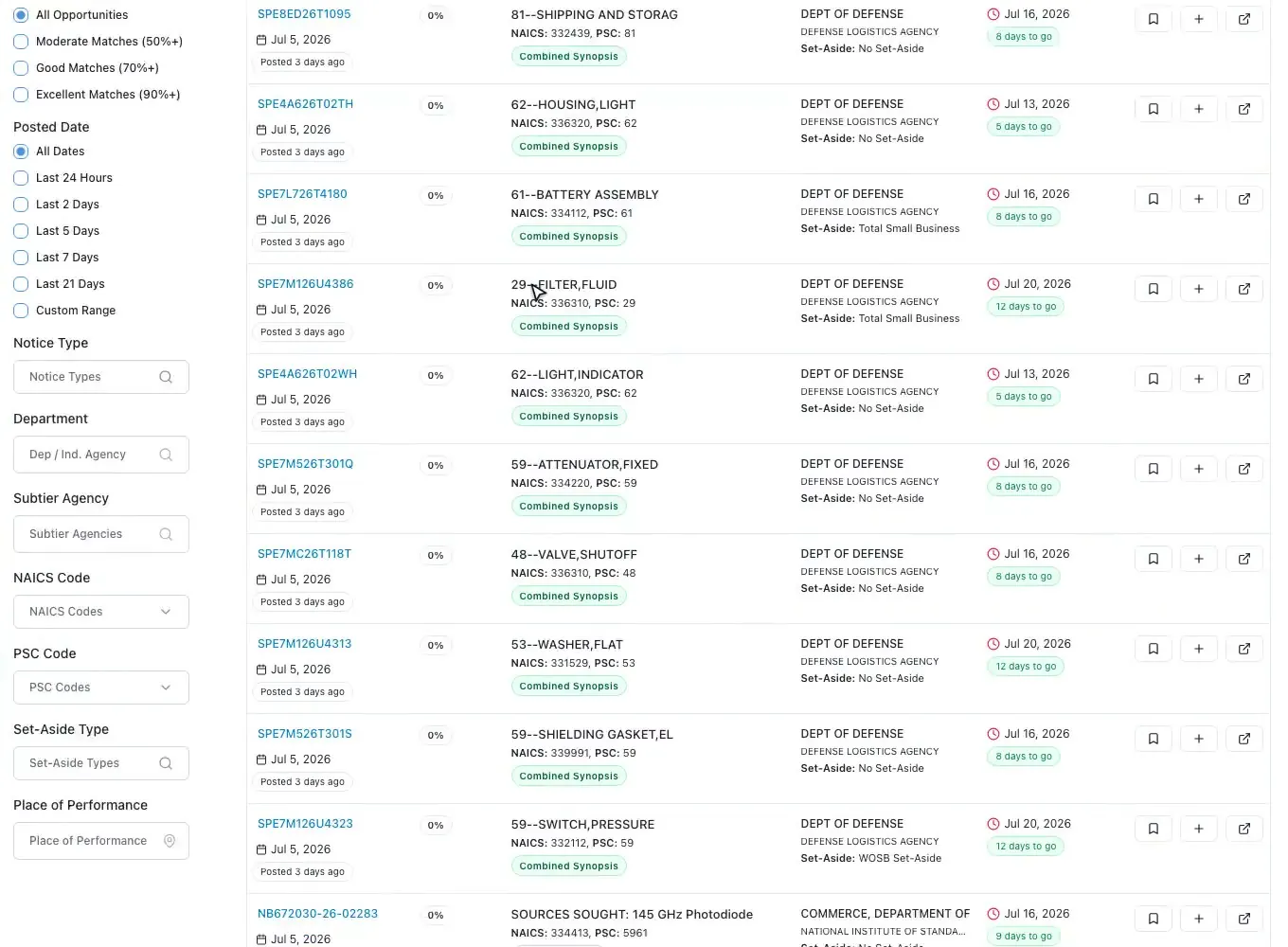
SAM.gov and state and local bids, scored 0 to 100 against your profile.
Read moreGovernment proposal software
Updated
Government proposal software gives a contractor one place to run every public-sector bid, from the first notice to the debrief. ProposalWorkspace covers federal, state and local opportunities in the same workspace: find and score bids, make the bid decision, analyze the RFP with page cites, build the outline and compliance matrix, write and review as a team, and export each volume ready to submit.
Every feature on every plan, from $99 a month billed yearly.
Software for government proposals
Government proposal software is built around how public buyers evaluate offers. A government proposal is not judged on how persuasive it reads but on whether it answers every instruction and scores well against stated evaluation criteria. On a federal RFP that means Section L for the instructions and Section M for the evaluation factors (FAR 15.204-1; 15.109 in the FAR overhaul text). A state, county, city or school district RFP sets its own instructions, forms and scoring.
Sales proposal tools help you send a quote; they do not find the solicitation, read a 200-page RFP, trace each "shall" to an answer, track page limits, or line up Pink, Red and Gold Team reviews. Shared drives and email handle files but lose track of who owns which section and which requirement is still open. Contractors report an average of 84 hours going into one proposal, and much of that time is spent holding those pieces together by hand.
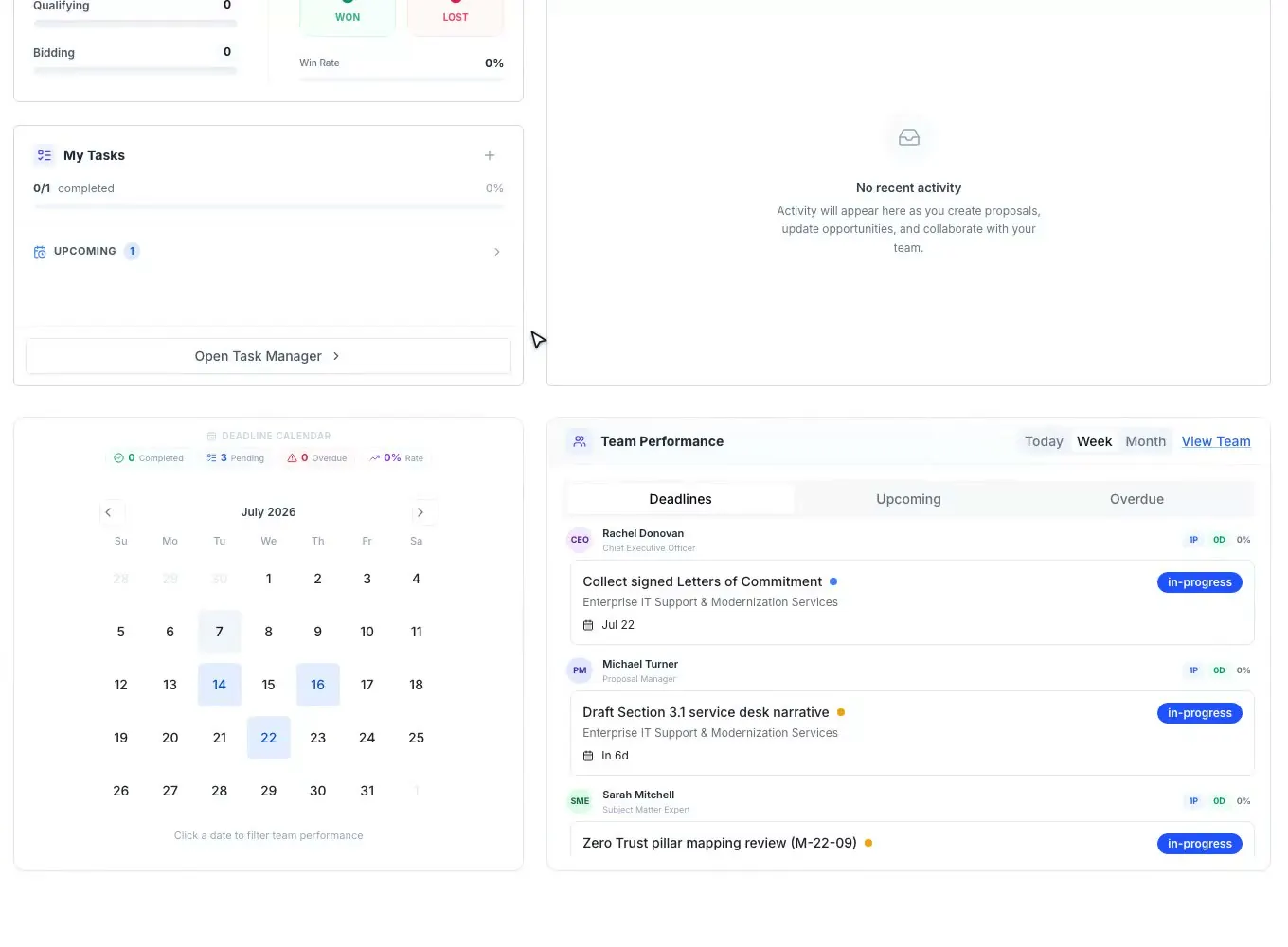
ProposalWorkspace holds them together: one workspace per pursuit, with the opportunity, the analysis, the decision, the outline, the matrix, the draft, the team and the dates in the same place.
Find, then qualify
The federal side searches every SAM.gov notice, synced daily, with filters for notice type, agency, NAICS and PSC codes, set-aside, place of performance and dates. The state and local side carries bids from state agencies, counties, cities and towns, school districts, colleges and special districts, with RFP, RFQ, RFI, IFB and ITB notice types. Every bid gets a 0 to 100 match score against your business profile from a published formula, and saved searches send a daily email of new matches.
Deciding early saves the most hours. The RFP analysis lists the go/no-go factors with the solicitation fact, why it matters and the page; the capability matrix checks every requirement against the past performance you choose; and the weighted bid/no-bid scorecard recommends GO, CONDITIONAL or NO-GO, with any showstopper blocking the bid. A person records the final call with a rationale.
Before the RFP is out, pre-award stages cover sources sought notices, RFIs and draft RFPs: track the notice, prepare a response, record what you submitted and when, and watch for the solicitation. When the RFP is released the pursuit carries over to the final RFP with nothing re-entered. Background on early notices: sources sought. Depth: federal proposal software and state and local proposal software. The decision itself: the bid/no-bid checklist.
Read the RFP once, properly
The opportunity overview summarizes who is buying what, the scope, the key dates and how the offer will be evaluated, with page limits, required letters and any discrepancies listed and cited. The deeper extraction pulls out every task, requirement, evaluation criterion, key date and submission instruction with its page or section.
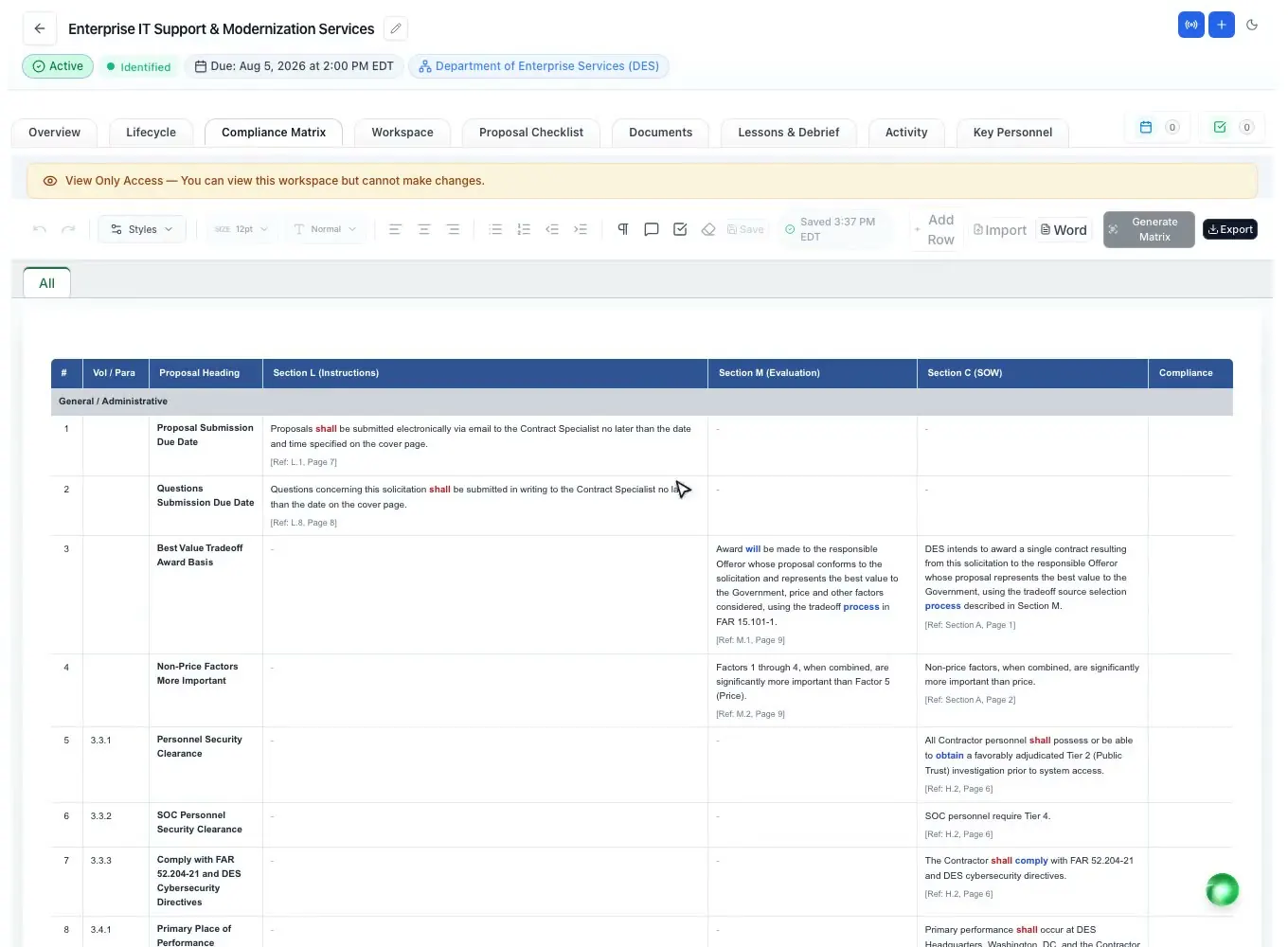
From there the annotated outline follows the RFP's own volume names, with each heading placed under the instruction it answers and guidance for the writer. The compliance matrix breaks Sections L, M and C, or a state RFP's instructions and criteria, into one row per requirement, with an owner and a compliance call on each row, and exports to Excel and Word. The submission checklist covers the administrative items that get a proposal rejected: delivery, page limits, formatting and required forms.
More detail: RFP response software, the proposal outline generator and compliance matrix. New to the terms? See Section L and Section M in the glossary.
Government proposal writing software
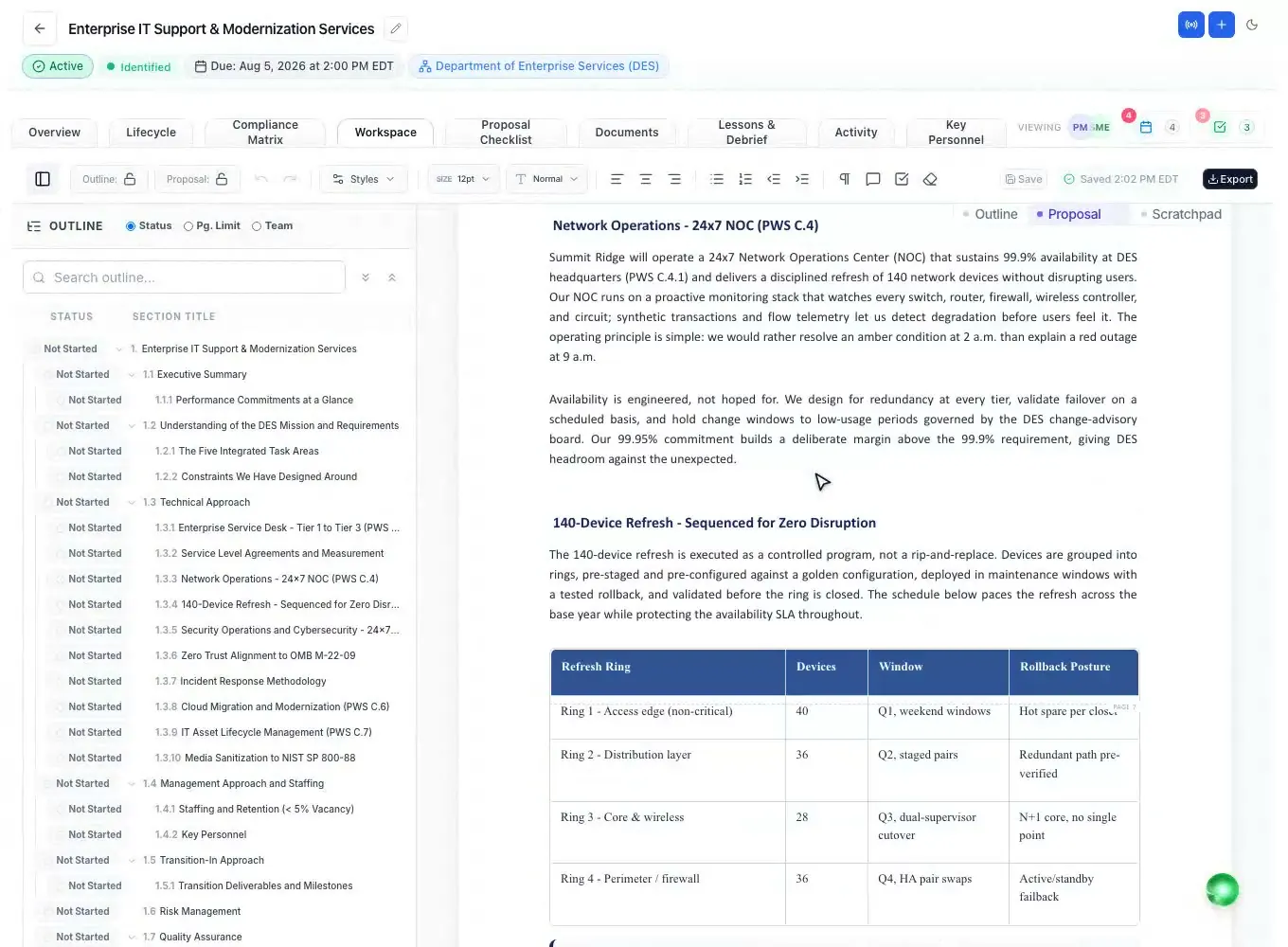
Writers work in a Word-like editor on letter-size pages with automatic federal heading numbering, tables, images and callouts, and each section keeps its owner, status and page limit. The built-in AI can write a cited first draft of every section from the outline and your Company Library, leaving clear markers where it needs your input. Edits are saved as you type, a teammate's newer edit is merged instead of dropped, and named versions such as Draft 1 and Draft 2 can be restored.
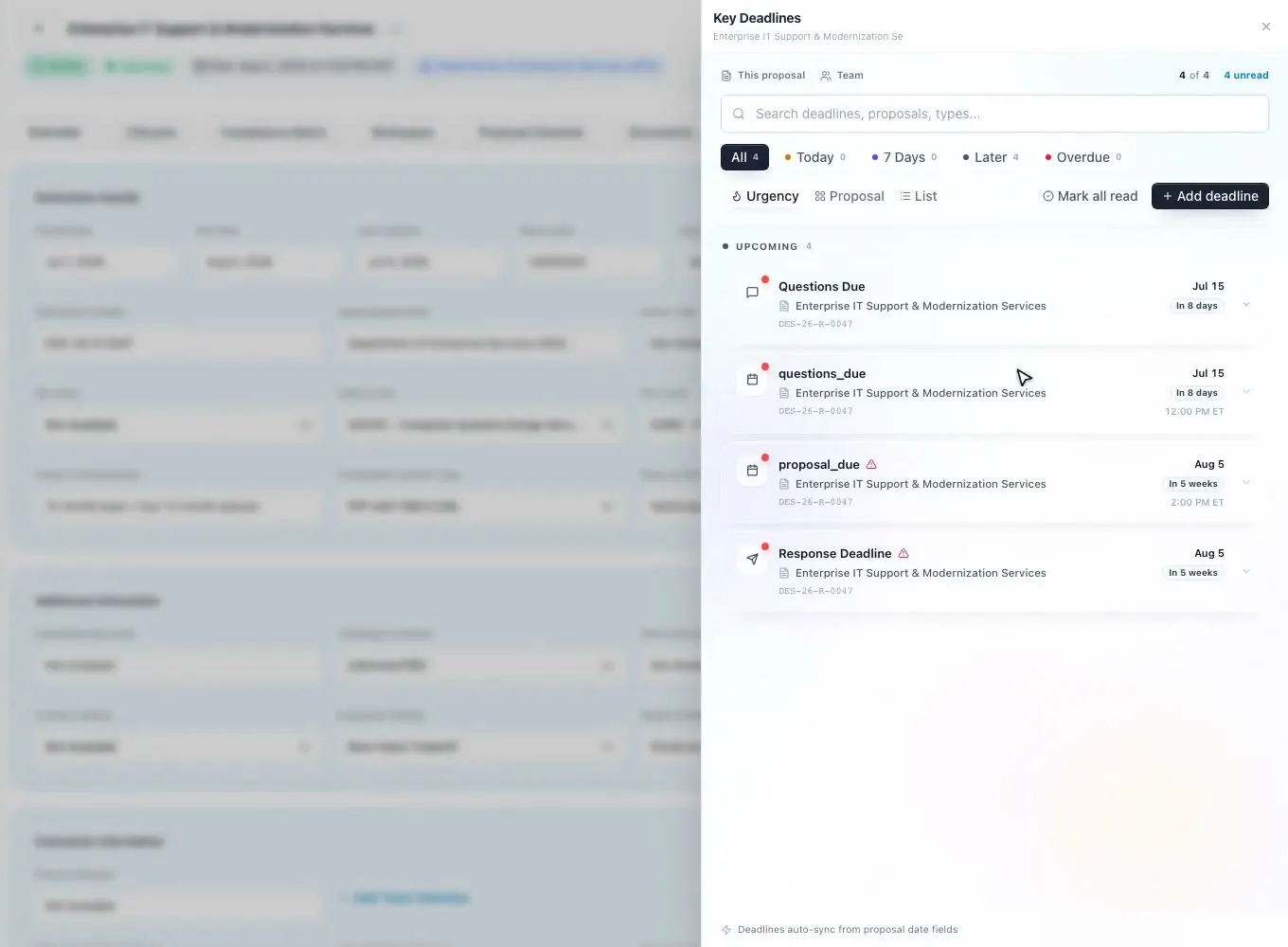
Reviews use tracked changes and margin comments, and Pink, Red and Gold Team reviews go on the schedule as milestones with reminder emails. The AI can score a section against its requirement the way an evaluator would, so reviewers spend their time on judgment. Before submission, someone who did not write the proposal reads the final draft and signs off.
Export each volume to Word (.docx), Word with a table of contents, or PDF, with the numbering the same in each format, or finish in Word with the add-in's twelve checks. More: proposal writing software, the AI proposal writer and color team review software.
Government proposal management
Each proposal has its own team, with 42 federal proposal roles to assign, tasks with due dates and automatic reminders, deadlines from submission to review milestones, team chat and voice calls, and an activity timeline of everything that happened. Teaming partners send their inputs through data calls: a package per partner and a private upload link, no account needed. Recruiters send resumes and letters of commitment through their own portal.
After the award decision, the Lessons and Debrief tab records the outcome, the agency debrief and a win/loss interview. Paste the debrief letter and the AI splits it into lessons with a recommendation each; on the next pursuit, the lessons most likely to matter are ranked first. How to request a debrief: federal debriefs under FAR 15.506.
Running several bids at once? See proposal management software. Positioning before the RFP drops is on capture management software.
Small businesses, primes and consultants
Small businesses that bid without a dedicated proposal department use it to find set-aside opportunities, decide quickly and produce a compliant proposal with a small team. The Solo plan includes 2 seats, and every feature is on every plan. Set-aside basics: set-asides in the glossary.
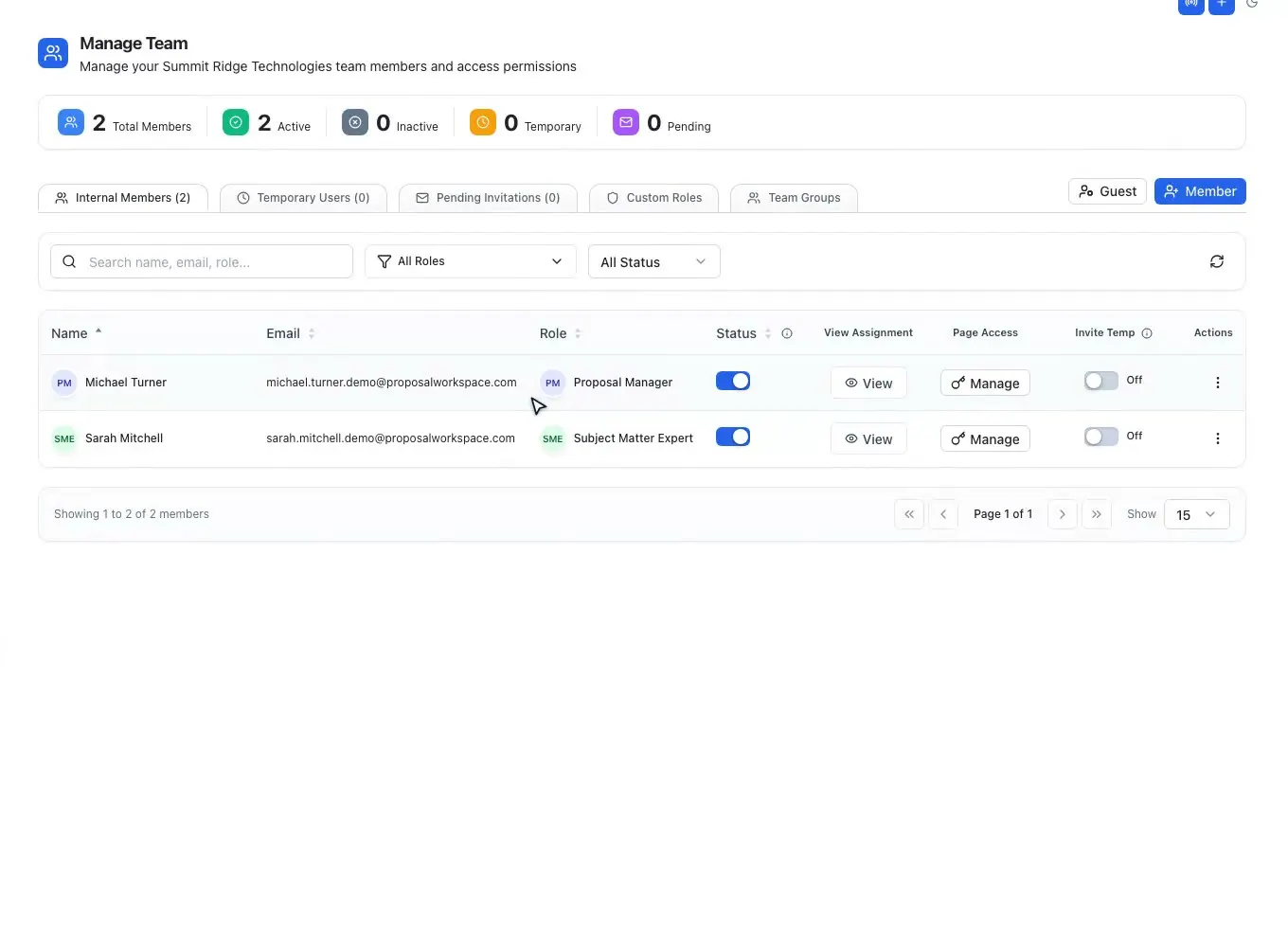
Prime contractors and growing firms use it to run several pursuits at once, with roles, owners, review milestones and data calls to teaming partners, plus a reusable bench of key personnel and a past performance library. Each past performance reference carries five readiness checks, such as a CPARS on file and a reachable government point of contact, so the team knows which references are ready to cite. Team members are added by the account owner, with page-level access per person.
Proposal consultants add clients' people as guests with view or edit access and an expiry date. Each workspace is isolated by row-level security, files are encrypted in transit and at rest, and no one can see which other companies a member works for, which matters when one consultant supports several contractors that may compete with each other.
How it works
Search federal, state and local bids, each scored against your profile.
Read the cited RFP analysis, check coverage and record the bid decision.
Generate the annotated outline, the compliance matrix and the checklist.
Draft as a team, run Pink, Red and Gold Team reviews and sign off.
Export each volume, then turn the debrief into lessons.
Every feature is on every plan. Plans start at $99 a month billed annually for Solo with 2 seats ($129 billed monthly). Subscribe today or book a demo with our team. Full pricing
In the product
SAM.gov and state and local bids, scored 0 to 100 against your profile.
Read moreGo/no-go factors and every requirement, each with its page.
Read moreRequirements as rows with owners and compliance calls, to Excel or Word.
Read moreFederal numbering, tracked changes, comments and AI drafting.
Read moreBench ranking, resume reviews, letters of commitment and a recruiter portal.
Read moreTasks, deadlines, chat, calls and data calls to partners.
Read moreQuestions people ask
Software for winning public-sector contracts: it finds federal, state and local opportunities, helps decide which to bid, reads the RFP, builds an outline and compliance matrix from it, and gives the team one place to write, review and export the proposal.
Yes. Federal notices come from SAM.gov, synced daily, and state and local bids from agencies, counties, cities, school districts and more are in the same workspace. The outline and matrix follow each RFP's own instructions.
Sales proposal tools produce quotes and pitch documents. Government proposal software works from a solicitation: it traces each requirement to an answer, follows the RFP's structure and page limits, and runs color team reviews before a fixed due date.
Yes. The Solo plan includes 2 seats and every feature, so a small team gets the same RFP analysis, outline, compliance matrix and AI drafting as a larger one. Plans add seats as the team grows.
Yes. Partners answer data calls through a private link without an account, and consultants or client staff can be added as guests with view or edit access and an expiry date.
Yes. Each volume exports to Word (.docx), Word with a table of contents, or PDF, and the compliance matrix and checklist export to Excel.
ProposalWorkspace starts at $99 a month billed annually ($129 billed monthly) for 2 seats, with every feature on every plan. See pricing or book a demo.
 ProposalWorkspace
Set up in minutes
Plans from $99 a month, billed yearly. Subscribe today or book a demo with our team.