Review milestones
Pink, Red, Gold and Final Team dates with daily reminder emails.
Read moreColor team review software
Updated
Color team review software helps a proposal team review a government proposal the way an evaluator will read it. In ProposalWorkspace, Pink, Red and Gold Team reviews sit on the proposal schedule with reminder emails, reviewers mark up the draft with tracked changes and margin comments, the AI scores each section against its requirement from 0 to 100, and a final sign-off gates submission.
Every feature on every plan, from $99 a month billed yearly.
Proposal review software
Color team reviews are the checkpoints a proposal goes through before it is submitted, each named for a color and each asking a different question. They are industry practice, not regulation, and teams use them in slightly different ways, but the common pattern is the same.
A Blue Team tests the win strategy before writing starts. A Pink Team reviews the early draft or storyboards: is the structure compliant and is the story right? A Red Team reads the full draft as the government evaluator would, scoring it against Section M. A Gold Team is the final executive review of the finished proposal. Some teams also run a White Team for a last compliance and production check.
Each review needs the same things: a date everyone keeps, reviewers who know what to look for, a way to mark up the draft without losing track of who changed what, and a way to tell whether every requirement is still answered. That is where proposal review software earns its place.
Review milestones
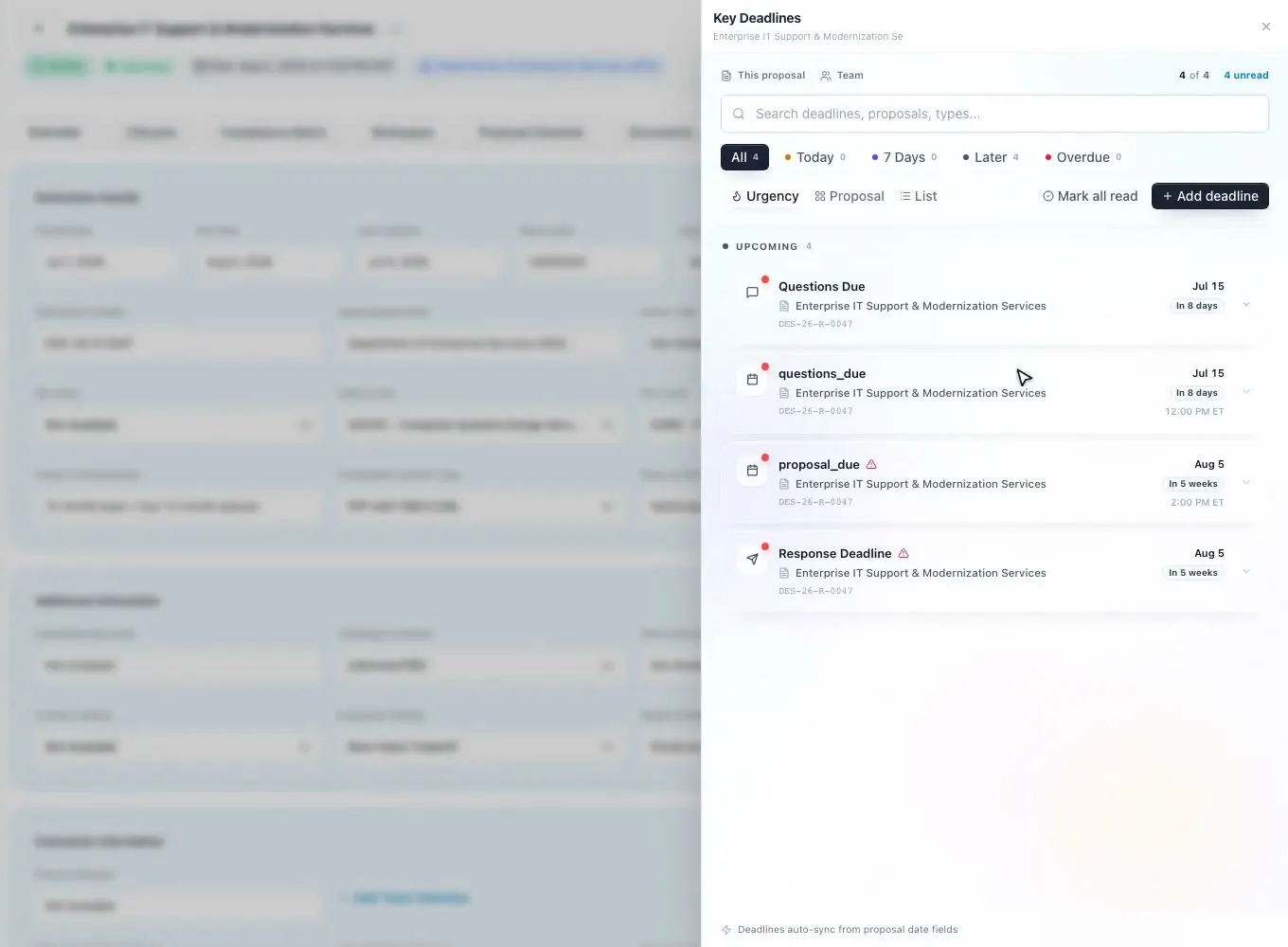
In ProposalWorkspace a review is a deadline on the proposal. The deadline types include review milestones for Pink, Red, Gold and Final Team, each with a date, a time and a time zone that the whole team sees, and any milestone can be marked critical.
Reminders take care of themselves: in the three days before each review, the proposal owner and the active proposal team get a daily reminder email, and if the date moves, the team is told. The dashboard calendar and each person's task list show what is due, so a review is not something people hear about the morning of.
Plan the reviews backward from the due date. A Red Team needs a complete draft and time afterward to fix what it finds, so most teams leave several working days between the Red Team and the Gold Team, and the schedule makes that gap visible to everyone before the writing starts.
Reviewers get their own roles among the 42 federal proposal roles (White, Pink, Red, Gold and Blue Team Reviewer, plus Internal Reviewer and Contracts/Legal Reviewer), and outside reviewers can join as guests: view-only by default, with edit access if the owner grants it, and an expiry date. How it is set up: color team reviews in the docs.
Redlines
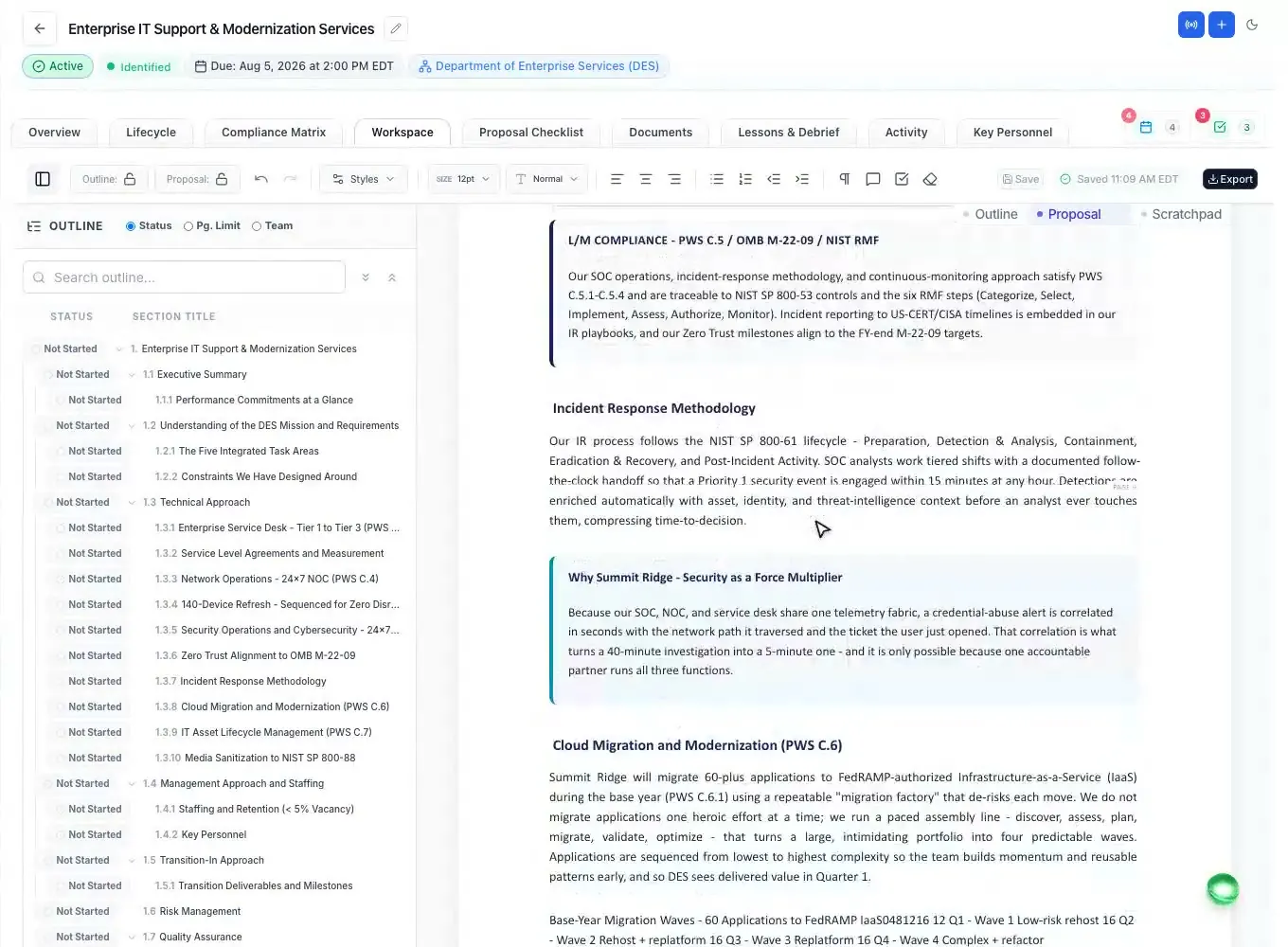
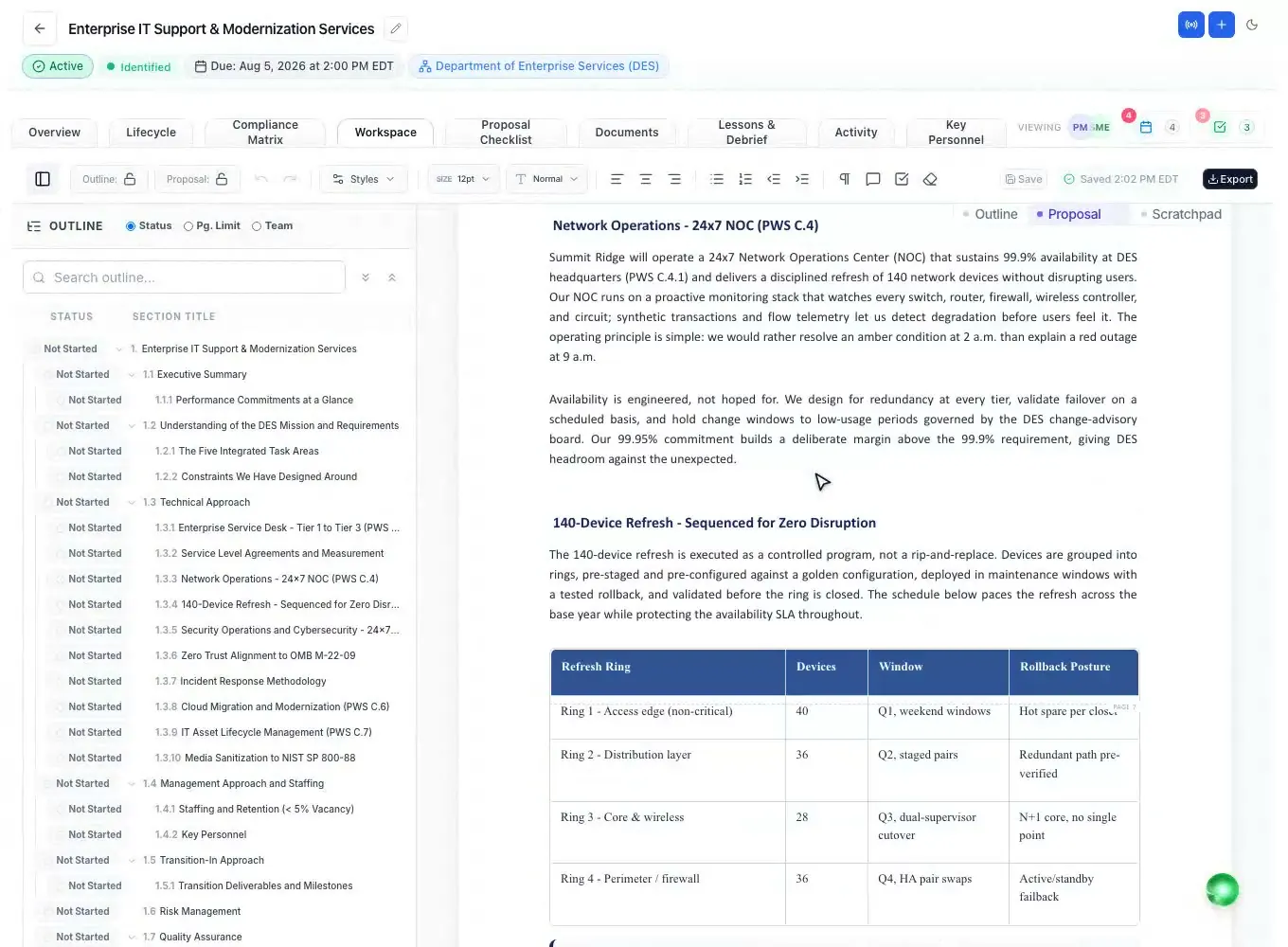
Reviewers work in the proposal itself, not in a copy emailed around. Turn on Suggesting mode and every insertion, deletion and format change is tracked and marked with who made it (a reviewer, the AI Assistant or an amendment), and the writer accepts or rejects each one, or all at once. The marks survive saving and reloading.
Comments sit in the margin beside the text they are about, the way reviewers expect from Word. Any selected text can become a task with an owner and a due date, so a Red Team finding turns into assigned work instead of a note in a slide deck.
Everyone edits the same document, which saves as you type and merges a teammate's newer edit instead of overwriting it, so a reviewer and a writer can work at the same time without one wiping out the other. Live presence shows who is viewing the proposal and on which tab.
Name a version before each review (Pink Team draft, Red Team draft) and the version history keeps it for good; any version can be restored, and the restore itself can be undone. The team can always see what the reviewers saw.
Read it like the government
The hardest part of a Red Team is reading against the evaluation criteria instead of for style. During a review, the AI can score a drafted section against its row in the compliance matrix, acting as a source selection evaluator: a score from 0 to 100, a Pass, Warning or Fail, the reasoning behind it, and a suggested compliance status for the row.
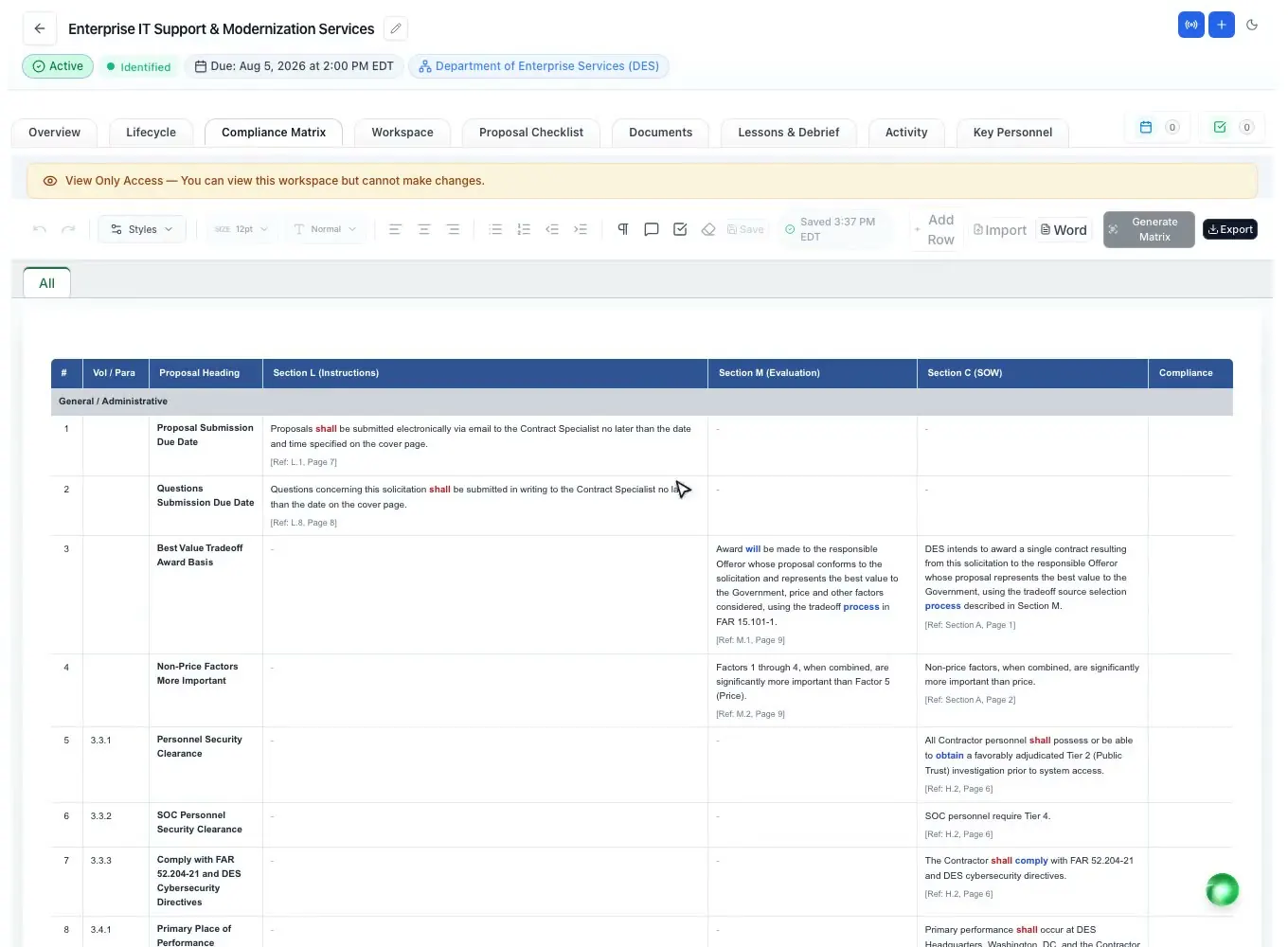
Another check runs over the whole matrix at once: every requirement row is checked against the written proposal and reported as answered (with the section where it was found) or not addressed in the proposal. A missing requirement is the kind of finding that costs the most points and is the easiest to miss by reading alone.
The scores help reviewers spend their time on judgment (is the approach convincing, are the strengths clear, are the discriminators visible) instead of hunting for missing requirements. They are a second reader, not the decision; the reviewers and the proposal manager decide what changes.
After the review
After a review the writers have a list of fixes and little time. Select text in the editor and the Ask AI popup offers presets that match common review comments: Verify Compliance against Section L and M, Active Voice, Remove Weasel Words, Target Grade Level 10, and quick chips for a more authoritative, compliant, persuasive or concise tone. Each result shows its changes and goes in as tracked changes the writer accepts or rejects.
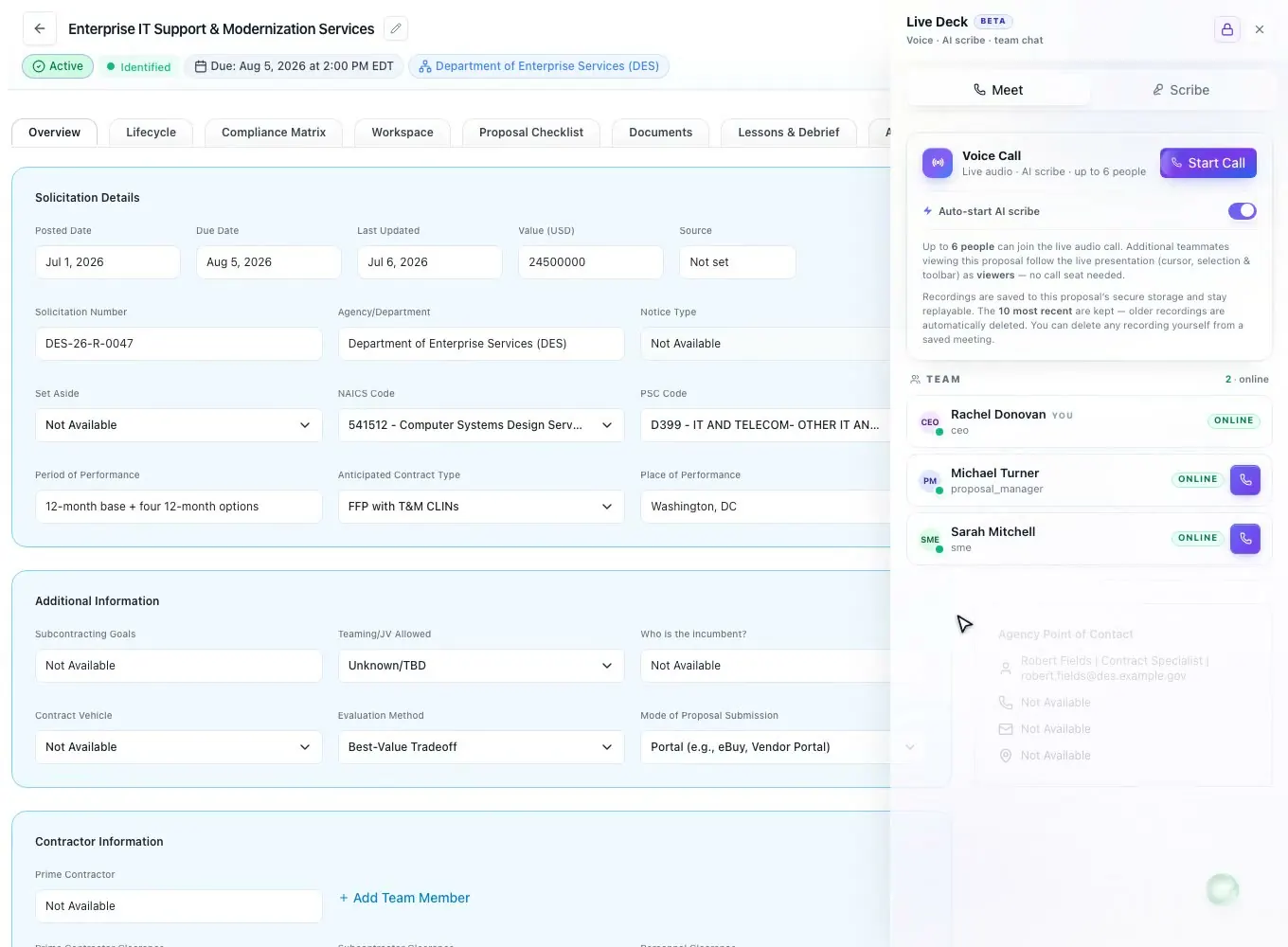
Review meetings can happen inside the workspace: a voice call for up to 12 people, with AI Scribe notes that record the transcript and pull out action items, decisions and deadlines, which can be turned into tasks on the proposal. The PowerPoint add-in can build a color team readout deck from the pursuit's own data.
Findings from one review feed the next. Because the comments, tracked changes, tasks and scores all live on the same proposal, the Gold Team can see what the Red Team asked for and whether it was done, instead of starting from a clean copy with no history.
What each review should look for, in detail: Pink, Red and Gold Team reviews.
Gold Team and sign-off
The last review is the one that cannot be skipped. For a final RFP proposal, Gate 4 (Final Check & Sign-off) asks someone who did NOT write the proposal to read the final draft and sign off. Their name and the time are recorded, the sign-off can be withdrawn, and until it is given the proposal cannot move to submission.
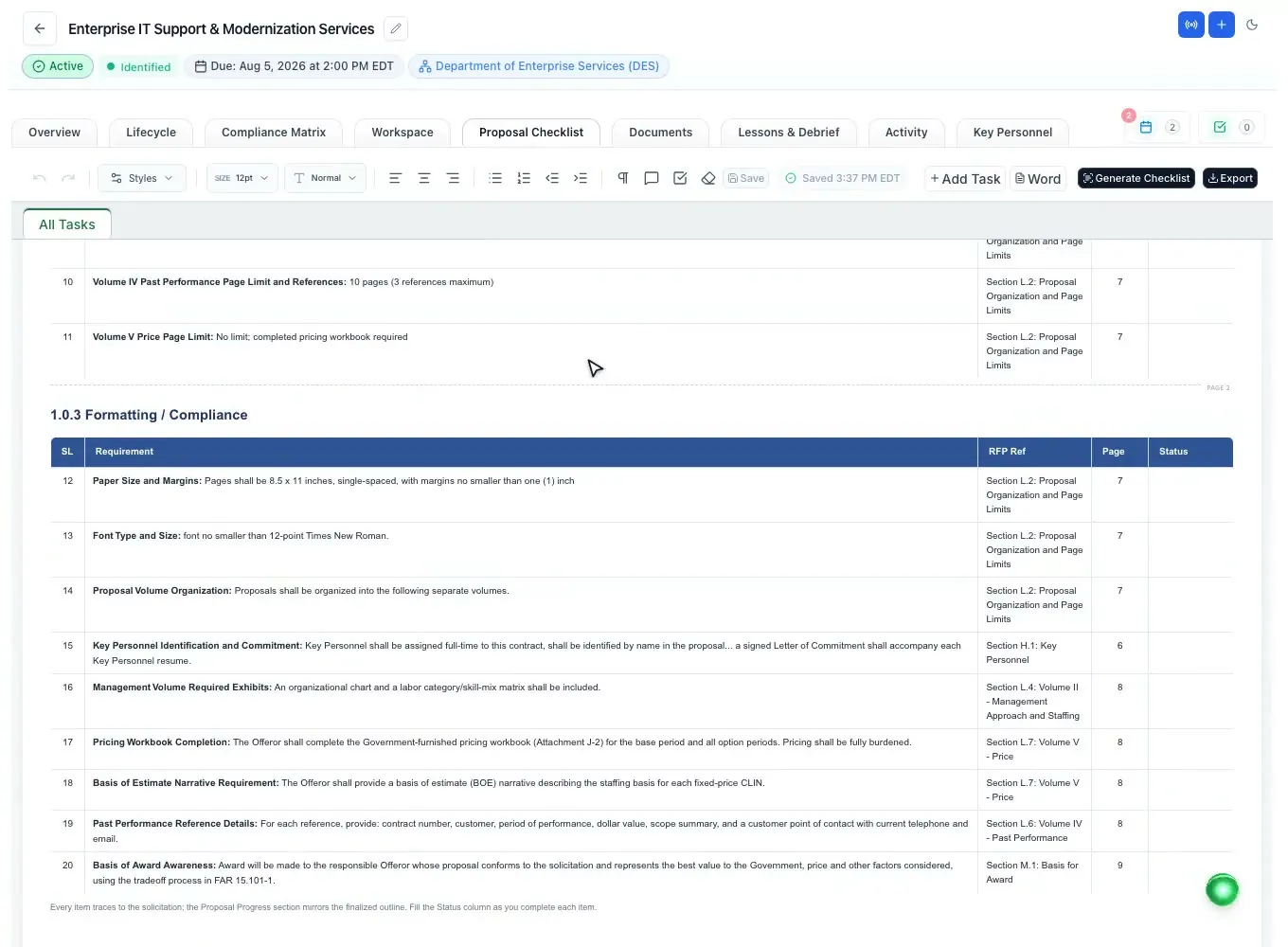
Teams that finish in Microsoft Word get twelve checks in the Word add-in over the open document, grouped as blockers, risks and polish: page limits against each section's limit, tracked changes and comments left in the file, required forms, formatting against the checklist's rules, requirement coverage, unbacked claims, an amendment not yet folded in, win-theme coverage, placeholders, acronyms, document metadata and readability.
Then export each volume to Word or PDF and submit. Running the rest of the bid (the schedule, owners and partner inputs) is covered on proposal management software.
How it works
Add Pink, Red and Gold Team milestones to the proposal deadlines.
Give teammates reviewer roles and invite outside reviewers as guests.
Mark up the named draft with tracked changes and margin comments.
Score sections against their requirements and turn findings into tasks.
A non-author signs off at Gate 4, then the volumes go out.
Every feature is on every plan. Plans start at $99 a month billed annually for Solo with 2 seats ($129 billed monthly). Subscribe today or book a demo with our team. Full pricing
In the product
Pink, Red, Gold and Final Team dates with daily reminder emails.
Read moreEvery edit marked with its author, accepted or rejected one by one.
Read moreSection scores from 0 to 100 and every requirement checked against the draft.
Read moreSections L, M and C as rows with owners and compliance calls.
Read moreNamed versions, Ask AI presets and tasks from selected text.
Read moreTwelve checks on the open document and a review readout deck.
Read moreQuestions people ask
Software that supports the reviews a proposal goes through before submission (Pink, Red and Gold Team and others): scheduling them, marking up the draft, checking it against the solicitation's requirements and recording the final sign-off.
A Pink Team reviews the early draft or storyboards for structure and story, a Red Team reads the full draft as an evaluator would and scores it against Section M, and a Gold Team is the final executive review before submission. See the color team review glossary entry.
Yes. It can score a drafted section against its compliance row like a source selection evaluator, from 0 to 100 with Pass, Warning or Fail and the reasoning. Reviewers use it as a second reader; people make the calls.
Yes. Outside reviewers can be invited as guests: view-only by default, with edit access if the owner grants it, and an expiry date the owner sets.
Review milestones are proposal deadlines. In the three days before each one, the owner and the proposal team get a daily reminder email, and a changed date is emailed to the team.
No. Your team decides which reviews to hold, who sits on them and what they look for. ProposalWorkspace keeps the dates, the markup, the requirement checks and the sign-off in one place so the process you already run is easier to keep.
Yes. The Word add-in runs twelve checks over the open document, from page limits to tracked changes and comments left in the file, and the editor exports each volume to Word with its numbering intact.
ProposalWorkspace starts at $99 a month billed annually ($129 billed monthly) for 2 seats, with every feature on every plan. Subscribe from pricing or book a demo.
 ProposalWorkspace
Set up in minutes
Plans from $99 a month, billed yearly. Subscribe today or book a demo with our team.