RFP analysis
Decision factors, red flags and a page cite on every fact.
Read moreRFP response software
Updated
RFP response software for government contractors turns a federal, state or local solicitation into a plan you can answer. ProposalWorkspace reads the RFP and its attachments, shreds every requirement with a page cite, builds the Section L, M and C compliance matrix, drafts questions for the Contracting Officer, applies amendments as tracked changes and checks the final volumes before you submit.
Every feature on every plan, from $99 a month billed yearly.
Request for proposal software
RFP response software helps a team read a request for proposal, find every requirement in it and answer each one in the format and order the buyer asked for. Government RFPs make that harder than most: a federal solicitation can run to hundreds of pages across the base document, the statement of work and a stack of attachments, and the instructions and the scoring rules sit in different sections (FAR 15.204-1; 15.109 in the FAR overhaul text).
Many tools sold as "RFP software" are built for sales questionnaires: a library of past answers matched to a list of questions. A government RFP is not a questionnaire. It is a set of instructions (Section L), evaluation criteria (Section M) and work requirements (Section C) that the proposal must follow and trace, volume by volume, within page limits.
Getting it wrong is expensive. A proposal that skips a mandatory instruction can be found unacceptable before anyone reads the technical approach, and a requirement answered in the wrong volume may never be credited by the evaluator scoring that volume.
ProposalWorkspace is request for proposal software built for that second kind of document. It keeps the solicitation, the analysis, the matrix, the outline and the draft together in one workspace per bid, so each answer can be traced back to the requirement that asked for it.
RFP shredder
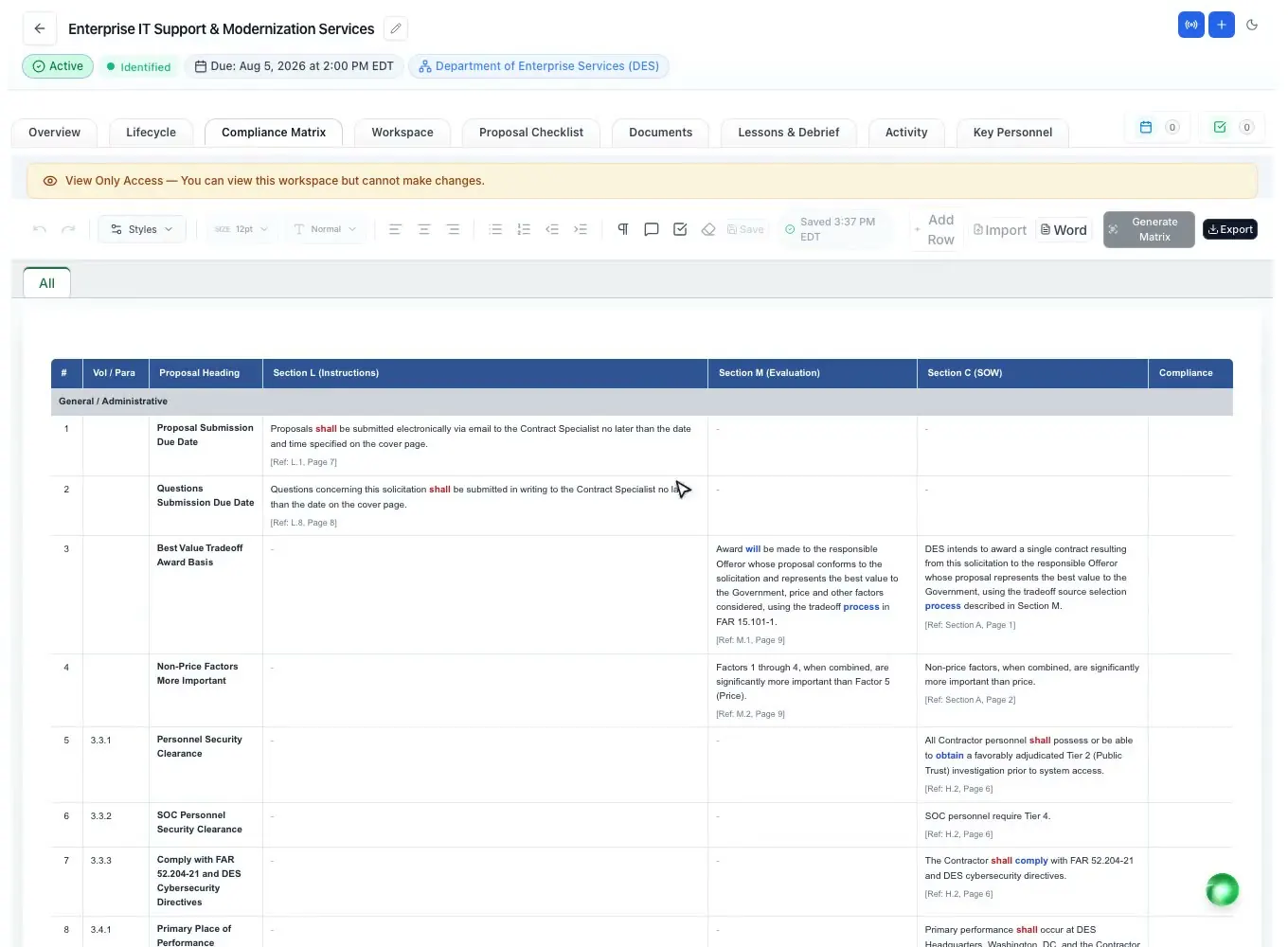
An RFP shred breaks the solicitation into single requirements so nothing is missed. In ProposalWorkspace the requirement extraction copies each shall and must statement word for word, classifies it as mandatory, conditional or preferred, and records the section and page it came from. The compliance matrix parser maps Section L, M and C into a hierarchy of up to six levels, each row with its page reference and the reasoning behind it.
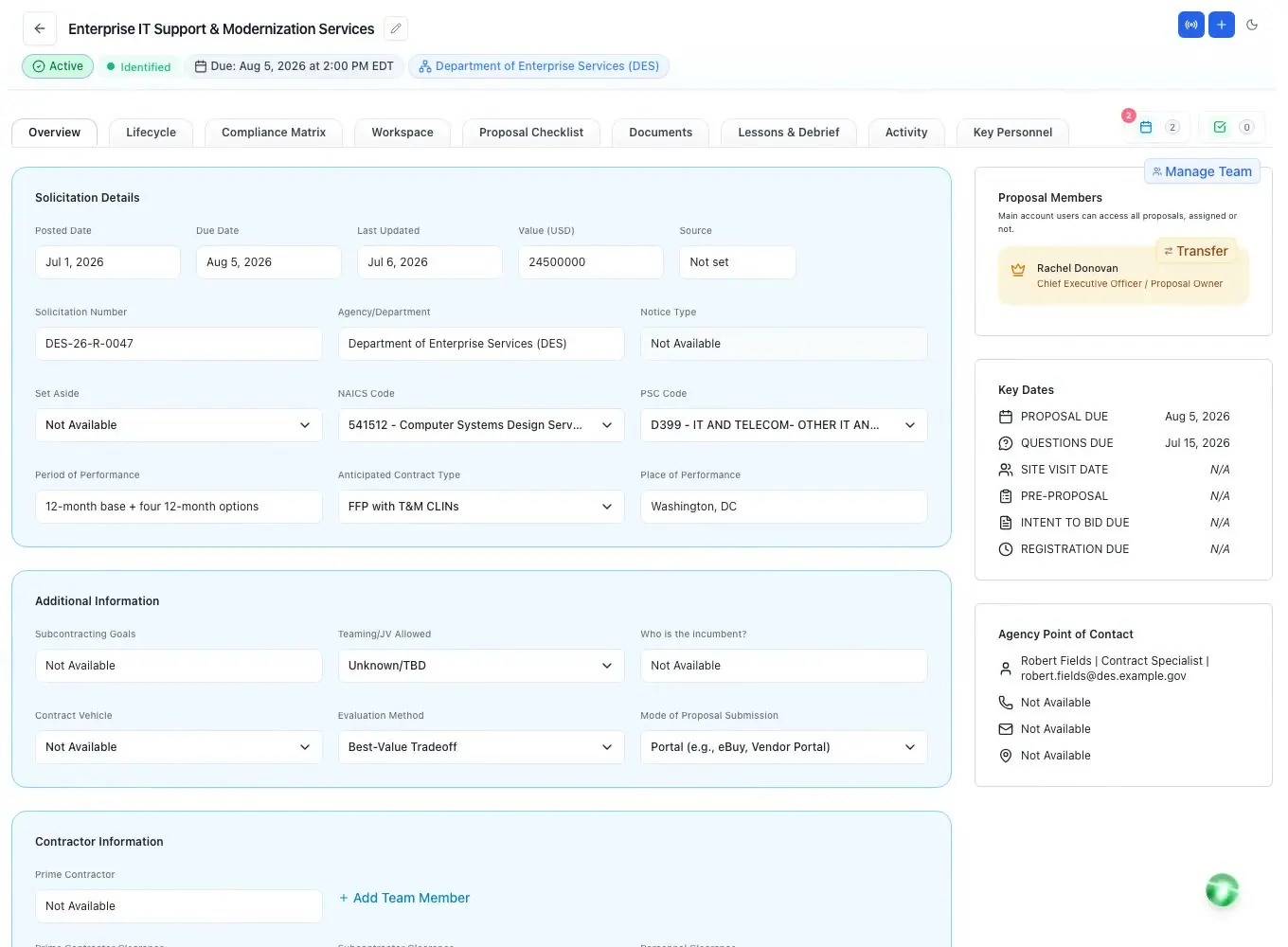
The same pass fills in the proposal record from the RFP: the solicitation number and title, the agency, the due date, the questions deadline, site visit and pre-proposal dates, NAICS and PSC codes, the set-aside, the contract type and the submission mode, with the fields it could not find listed so a person can fill them.
Requirement language is color-coded in the matrix: mandatory words (shall, must), conditional words, preferences (should), options (may), commitments (will) and ambiguous wording each get their own color, so a reviewer sees at a glance which lines can make a proposal unacceptable.
RFP AI
Before anyone writes, the team needs to know what the buyer wants and whether the bid is worth it. The Opportunity Overview gives a solicitation snapshot and a plain-language summary (who is buying, what, the scope, the dates and how it will be evaluated), then a page map, the page limits, the evaluation factors, the key personnel, the letters the RFP requires and any discrepancies between documents. Every fact carries a page cite and the whole overview exports to Word.
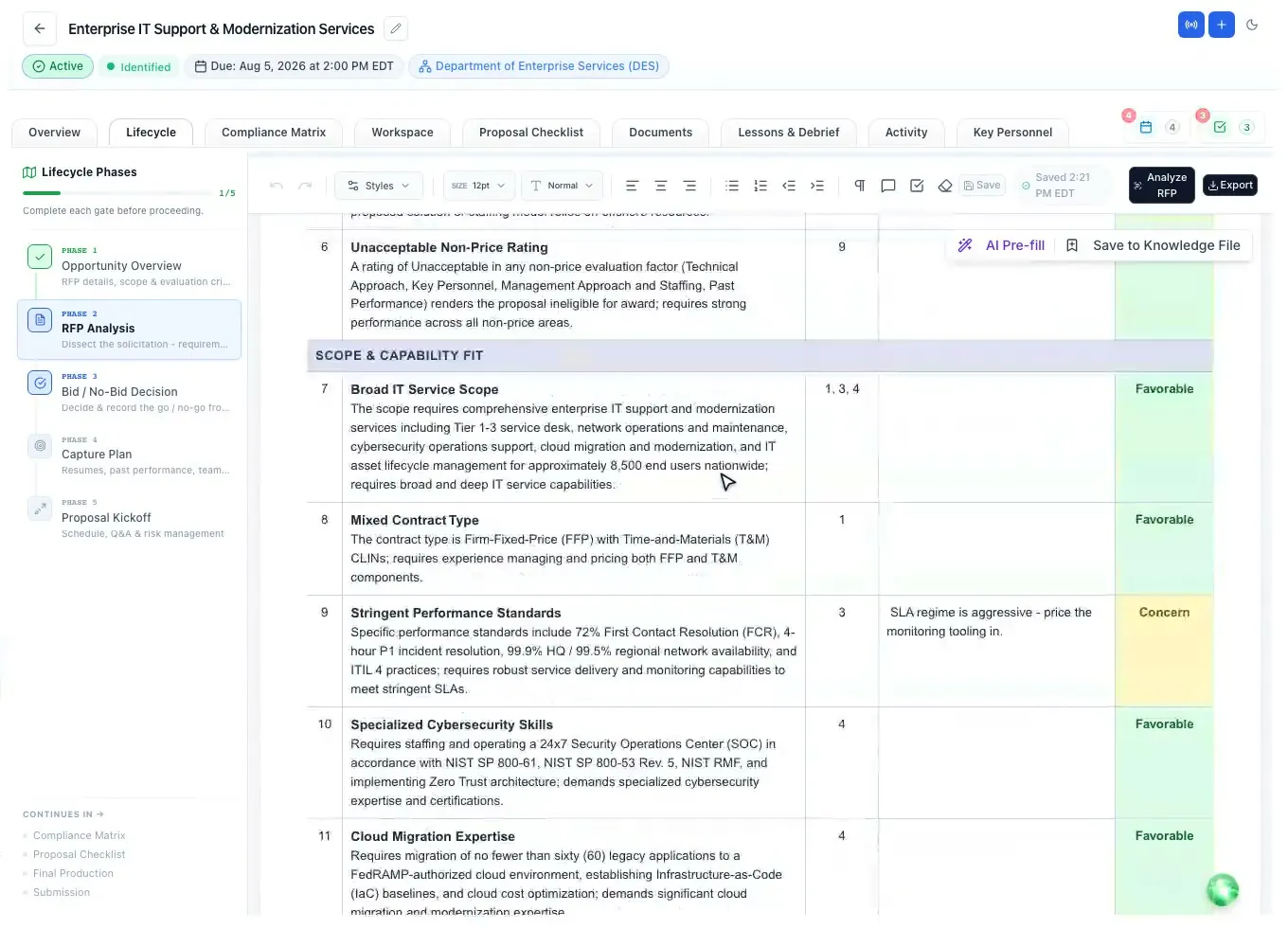
The RFP analysis then lays out the decision factors in groups (eligibility gates, scope and capability fit, competition and win position, contract value, risk and terms, bid effort), each with the solicitation fact, why it matters and the page. Red flags are called out. That feeds the bid/no-bid decision - see capture management software for the scorecard and the capture plan.
The built-in AI chat answers questions about this RFP as you work. You choose which solicitation documents it reads and it works from those files, so "what is the page limit for the management volume?" gets the answer in this solicitation.
Trace every requirement
The compliance matrix is the backbone of a government RFP response: one row per requirement, the section that answers it, the person who owns it and whether it is met. ProposalWorkspace generates it from Section L (instructions), Section M (evaluation) and Section C, the PWS or the SOW (the work), grouped by volume like sheet tabs.
Each row gets an owner and a compliance call (Compliant, Partial, Non-Compliant or Exception), and a summary banner across the top shows how many requirements there are, how many are assessed and how many are not compliant. It turns red the moment one is. One click checks every row against the written proposal and reports where each one is answered ("Found under") or that it is not addressed in the proposal yet, which is the fastest way to find a gap before a reviewer or an evaluator does.
The matrix imports from and exports to Excel, and exports to Word. Want to build one by hand first? Start from the compliance matrix template.
While the RFP is open
Most RFPs give offerors a window to ask questions. The Q&A Center finds the real ambiguities, conflicts and gaps in the solicitation and drafts a question for each, linked to the passage it comes from. You review every question, send them from your own email and mark them sent; when the answers come back in an amendment, they are matched to the questions you asked. More on the window itself: the questions and answers period.
An amendment can change a page limit, a due date or a requirement days before submission (FAR 15.206 covers amending a solicitation). ProposalWorkspace compares the amendment with the base RFP section by section, lists what was added, modified or removed, and applies the changes to your documents as tracked changes marked "Amendment", so the team accepts or rejects each one instead of re-reading everything.
Dates move too. Change a deadline and the whole proposal team gets an email, and every deadline sends a daily reminder in the three days before it.
Outline, draft, check, submit
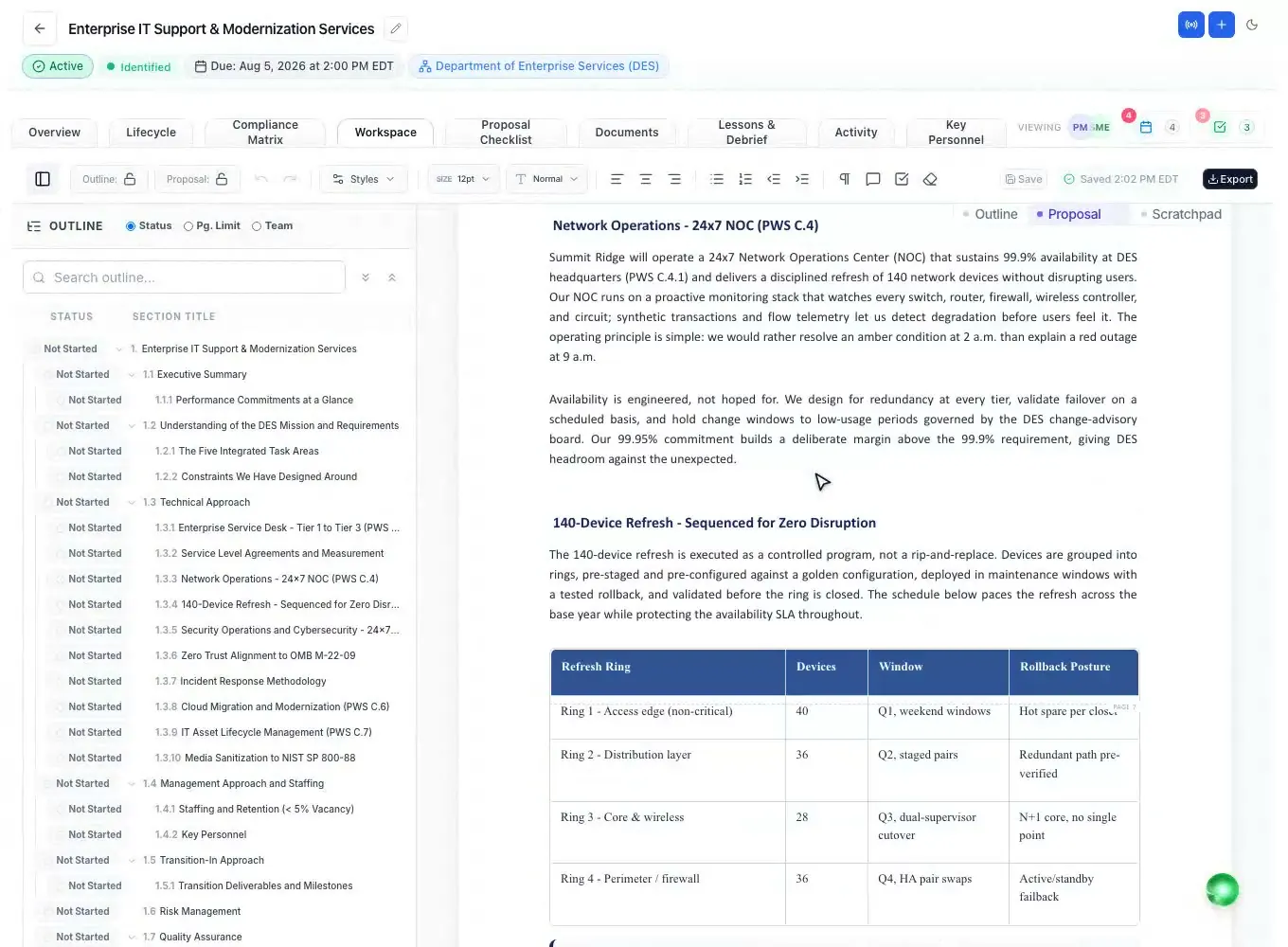
The analysis and the matrix feed the rest of the response. The annotated outline follows the RFP's own volume names and places each heading under the instruction it answers (see the proposal outline generator). The first draft is written from that outline and your Company Library, with citations and clear markers where your input is needed (see the AI proposal writer).
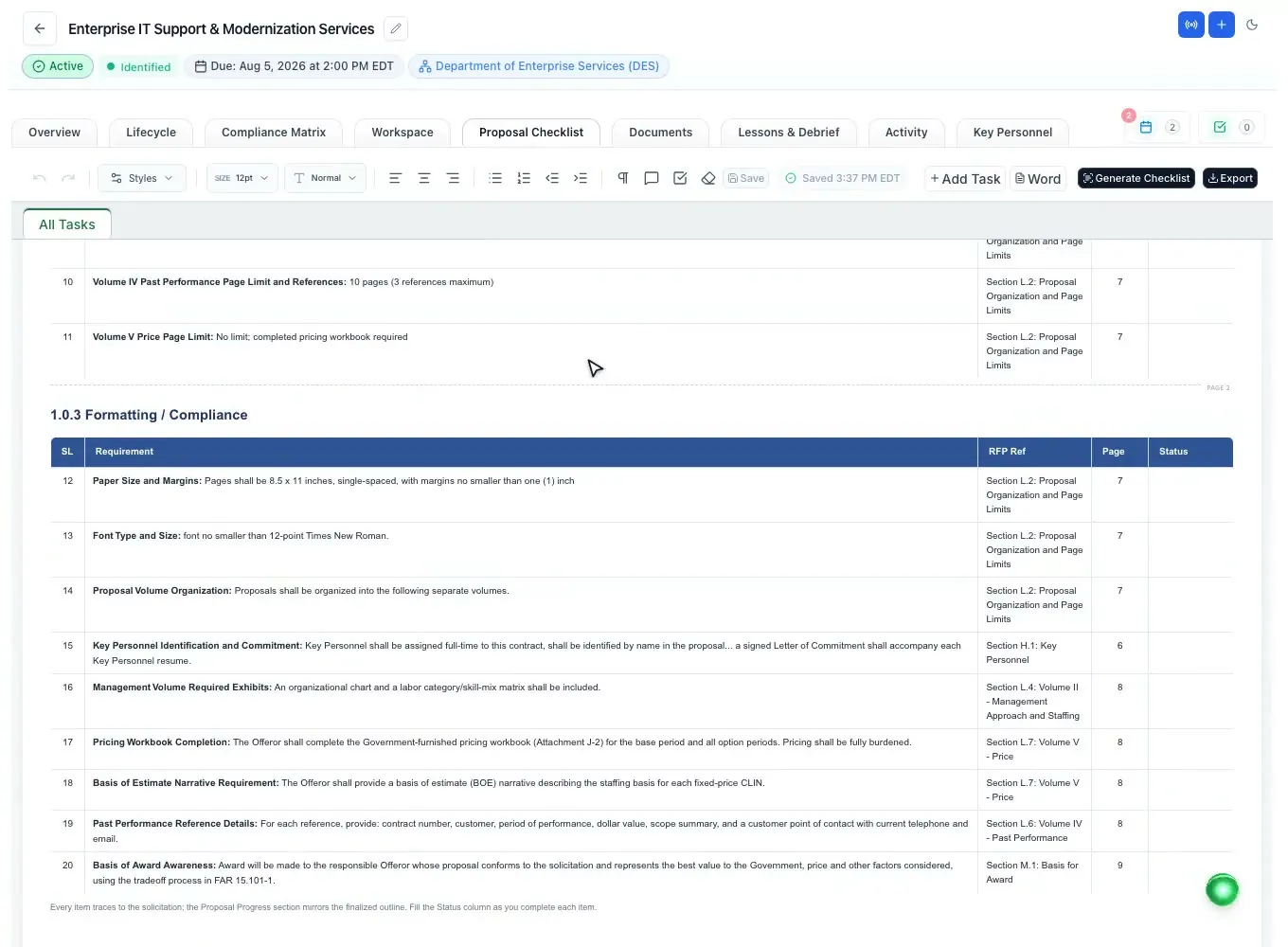
Administrative compliance gets its own list. The submission checklist is generated from the RFP and grouped into submission details, page limits, formatting and compliance, each item with a status that drives a progress banner. Fillable SF forms can be filled from your company registration and the proposal, with every value shown for review first; signatures are never filled and nothing is submitted for you.
When the volumes are ready, export them to Word, Word with a table of contents, or PDF, each volume as its own file. The Word, Excel and PowerPoint add-in runs twelve checks over the open document, from page limits to tracked changes and comments left in the file.
How it works
Add a SAM.gov or state bid to proposals, or upload the solicitation and its attachments.
Get the overview, the page-cited analysis and every requirement with its source.
Generate the Section L, M and C compliance matrix and give each row an owner.
Send the drafted questions, then apply amendments as tracked changes.
Outline, draft and review, then run the checklist and export each volume.
Every feature is on every plan. Plans start at $99 a month billed annually for Solo with 2 seats ($129 billed monthly). Subscribe today or book a demo with our team. Full pricing
In the product
Decision factors, red flags and a page cite on every fact.
Read moreSections L, M and C as rows with owners, compliance calls and Excel export.
Read moreAn annotated outline that follows the RFP's volumes and instructions.
Read moreA cited first draft of every section from the outline and your records.
Read moreEvery row checked against the proposal, evaluator-style section scores and the checklist.
Read moreFederal and state bids in one feed, added to proposals with their documents.
Read moreQuestions people ask
Software that helps a team answer a request for proposal: it reads the solicitation, lists every requirement, tracks who answers each one and checks the response before submission. For government RFPs that means following Section L, scoring against Section M and tracing the work in Section C or the PWS.
No. ProposalWorkspace is built for federal, state and local government solicitations: instructions, evaluation criteria, statements of work, page limits, amendments and forms. It is not an answer library for security or vendor questionnaires.
Yes. It extracts every shall and must statement word for word with the section and page it came from, classifies each as mandatory, conditional or preferred, and builds the compliance matrix from Sections L, M and C. A person reviews and owns every row.
Yes. The overview, the RFP analysis and the requirement extraction carry page or section cites, so a reviewer can check each fact against the solicitation itself.
It compares the amendment with the base RFP, lists what was added, changed or removed, and applies the changes to your documents as tracked changes marked "Amendment" that you accept or reject one by one.
Yes. State, county, city and school district RFPs set their own instructions and criteria, and the analysis, matrix and outline follow each RFP as written. See state and local proposal software.
No. You submit through the channel the RFP names. ProposalWorkspace gets the volumes ready: the checklist, the add-in's twelve checks and Word or PDF export with each volume as its own file.
ProposalWorkspace starts at $99 a month billed annually ($129 billed monthly) for 2 seats, with every feature on every plan. Subscribe from pricing or book a demo.
 ProposalWorkspace
Set up in minutes
Plans from $99 a month, billed yearly. Subscribe today or book a demo with our team.